Fix Shopify Search in 5 Quick Checks. Verify the Fix
Run five prioritized checks and a verification workflow to fix Shopify search fast, then verify the result or request a free audit.

Fix Shopify Search in 5 Quick Checks. Verify the Fix
Most Shopify storefront search failures trace back to one of three things: misconfigured Search & Discovery settings, product visibility or indexing problems, or a theme/app conflict. Start by checking Search & Discovery, confirming the product’s Active status and Online Store channel, then testing in an incognito window. If you just edited or imported products, give indexing up to a few hours before assuming something is broken.
TL;DR:
- Most search failures are caused by misconfigured search settings, inactive products, or delays in indexing after bulk updates.
- Shopify’s search only matches fixed fields like title and tags, so missing or incomplete data causes many zero-result queries.
- Theme or app conflicts, especially in custom code or recent app installs, often silently disable search functionality or predictive suggestions.
- Search delays of several hours after product updates are normal; persistent issues beyond that suggest technical or configuration problems.
- Upgrading to a managed AI search solution like Indexa can improve results when native Shopify search consistently returns high zero-result rates despite metadata cleanup.
Table of Contents
- Why Is Shopify Search Not Working? Five Quick Checks
- How Do Shopify Search Settings and Product Data Affect Results?
- Are Theme or Template Errors Breaking Your Search Bar?
- Is Bad Product Data Making Your Catalog Unsearchable?
- Could a Third-Party App or Custom Code Be the Culprit?
- Is It a Delay or a Real Shopify Outage?
- How Do You Verify a Shopify Search Fix Actually Worked?
- Triage First, Then Fix the Root Cause
- When Should You Upgrade to a Managed AI Search Solution?
- Where to Verify These Fixes Yourself
- Sources
- FAQ
Why Is Shopify Search Not Working? Five Quick Checks
Before touching code or filing a support ticket, run through these five checks in order. Most search functionality problems get solved right here.
- Open Search & Discovery in your admin and confirm “Products” is enabled as a result type, and that it’s ordered above collections or pages if you want product matches to surface first.
- Check the product’s Status and sales channel. It needs to be set to Active, and Online Store must be checked under sales channels, or storefront search will never see it.
- Test in an incognito window with extensions disabled. Ad blockers and aggressive cache plugins are a surprisingly common cause of a Shopify search bar not working for one visitor while working fine for everyone else.
- Give recent imports or bulk edits time to settle. A CSV import of a few thousand SKUs can take longer to fully index than a single manual edit.
- Temporarily disable any app installed in the last two weeks, especially search, filter, or personalization apps, then retest.
Pro Tip: Keep a running note of the exact search term that fails. “Blue jacket” returning zero results while “denim jacket” works tells you this is a vocabulary problem, not a broken search engine.
How Do Shopify Search Settings and Product Data Affect Results?
Shopify’s built-in storefront search only matches against a fixed set of fields: title, description, product_type, tags, vendor, and variant fields. If your customer’s search term doesn’t appear in one of those, the product won’t be found, no matter how obviously relevant it is to a human.
That’s the root cause behind most “why is my Shopify search failing” complaints. A jacket titled “Aster Bomber” with a blank product_type and no color tags is invisible to anyone searching “blue jacket,” even though it’s clearly a blue jacket.
Quick checks worth doing right now:
- Confirm the product’s Status is Active in the admin, and Online Store is checked under sales channels.
- Pull
yourstore.com/products.jsonin a browser to confirm the product actually exists in the storefront’s public feed. - Check Search & Discovery for unavailable products, custom synonyms, and redirects that might be silently intercepting a query.
Industry data suggests 10 to 15% of search queries on a typical store return zero results, often from exactly this kind of vocabulary mismatch rather than a technical bug, according to one diagnostic breakdown of Shopify search failures. Add the missing words to title, tags, or product_type, and the product becomes findable again.
Are Theme or Template Errors Breaking Your Search Bar?
Predictive search (the dropdown suggestions as someone types) and full storefront search (the results page) run on different templates, and a bug in one doesn’t necessarily break the other. That distinction matters when you’re troubleshooting, because “the search bar shows nothing” and “the search results page is blank” point to different files.
- Duplicate your live theme before making any changes, so you have a safe rollback point.
- Switch the duplicate to the Dawn theme preview and run the same failing searches. If Dawn works, your custom theme is the problem.
- Look at
templates/search.jsonand any predictive search snippets for recent edits, missing liquid tags, or a corrupted file. - Open your browser’s developer console on the storefront and search for red errors. A single broken JavaScript file can silently disable the entire predictive search UI.
Shopify Community threads back this up repeatedly. Merchants report that a botched predictive-search JS edit or a missing search results template is often the entire story behind a Shopify search bar returning no results, and a separate thread traces a dead search function on product pages to the exact same category of JS error.
Pro Tip: If switching to Dawn fixes the search, don’t panic and rebuild your theme from scratch. Isolate the specific search.json or predictive search snippet that changed and revert just that file.
Is Bad Product Data Making Your Catalog Unsearchable?
A blank product_type field is one of the most common, least visible causes of Shopify search issues. Filling it in unlocks a more forgiving, typo-tolerant match path, which matters most for stores selling under brand-style product names rather than descriptive titles, according to Arvio’s analysis of Shopify search behavior.
Variant-level data creates its own blind spot. Shopify’s search doesn’t reliably index every variant field the way it indexes the parent product, so a customer searching by SKU or a specific size sometimes comes up empty even though the item is in stock. The fix is to copy critical identifiers, like SKU codes or key specs, into the product’s tags or description rather than leaving them buried only in variant metadata.
Practical fixes that scale across a large catalog:
- Bulk-edit product_type and tags using Shopify’s built-in bulk editor for anything missing a category.
- Export your catalog to CSV, fill in blank product_type and tag columns in a spreadsheet, then re-import.
- Pull your Search & Discovery query reports and look for search terms customers actually type that return zero results. That list tells you exactly which words to add to your metadata.
Could a Third-Party App or Custom Code Be the Culprit?
Apps and custom scripts cause search functionality to break far more often than merchants expect, especially anything touching filters, personalization, or the search bar UI itself. The fastest way to find the offender is elimination, not guessing.
- Disable your most recently installed app first, then rerun the failing search.
- Work backward through your app list one at a time, retesting after each disable, rather than turning off five apps at once.
- Watch for client-side symptoms like a search bar that never opens or a dropdown that freezes. That points to an injected script, not a server-side indexing problem.
- If disabling an app fixes it, reach out to that app’s support team with the exact steps you took before assuming you need a permanent workaround.
- If nothing app-related fixes it, the issue likely lives in a custom theme snippet, and it’s time to loop in a developer with your findings.
Is It a Delay or a Real Shopify Outage?
Search indexing after a product edit or bulk import isn’t instant. Expect a lag ranging from a few minutes to a few hours depending on catalog size, and don’t panic the moment a new product doesn’t show up in search.
- If a single product is missing right after publishing, wait and recheck before assuming it’s broken.
- If search is behaving strangely across your entire catalog at once, check a status monitor. Shopify has had documented Storefront Search and Catalog API incidents that caused inconsistent or missing results platform-wide.
- If it’s been more than a few hours with no change and the incident monitors show nothing, that’s your signal to contact Shopify support or escalate to your developer instead of continuing to wait.
How Do You Verify a Shopify Search Fix Actually Worked?
Don’t declare victory after one successful search. Build a repeatable test so you know the fix holds and, if it doesn’t, you have real evidence to hand to support or a developer.
- Write down the exact query that failed originally, word for word.
- Test it in an incognito window on the default (or duplicated) theme, not your live production theme with extensions running.
- Open developer tools and check both the console for JavaScript errors and the network tab for failed requests.
- Pull
/products.jsonto confirm the product exists in the storefront feed at all. - Repeat the same query three or four times across different devices or browsers to rule out caching quirks.
Pro Tip: Screenshot the failing search, the console errors, and the timestamp before you make any fix. If the issue resurfaces later, that evidence saves you from re-diagnosing from zero. A structured search audit checklist helps keep this repeatable across your whole catalog rather than one product at a time.
Triage First, Then Fix the Root Cause
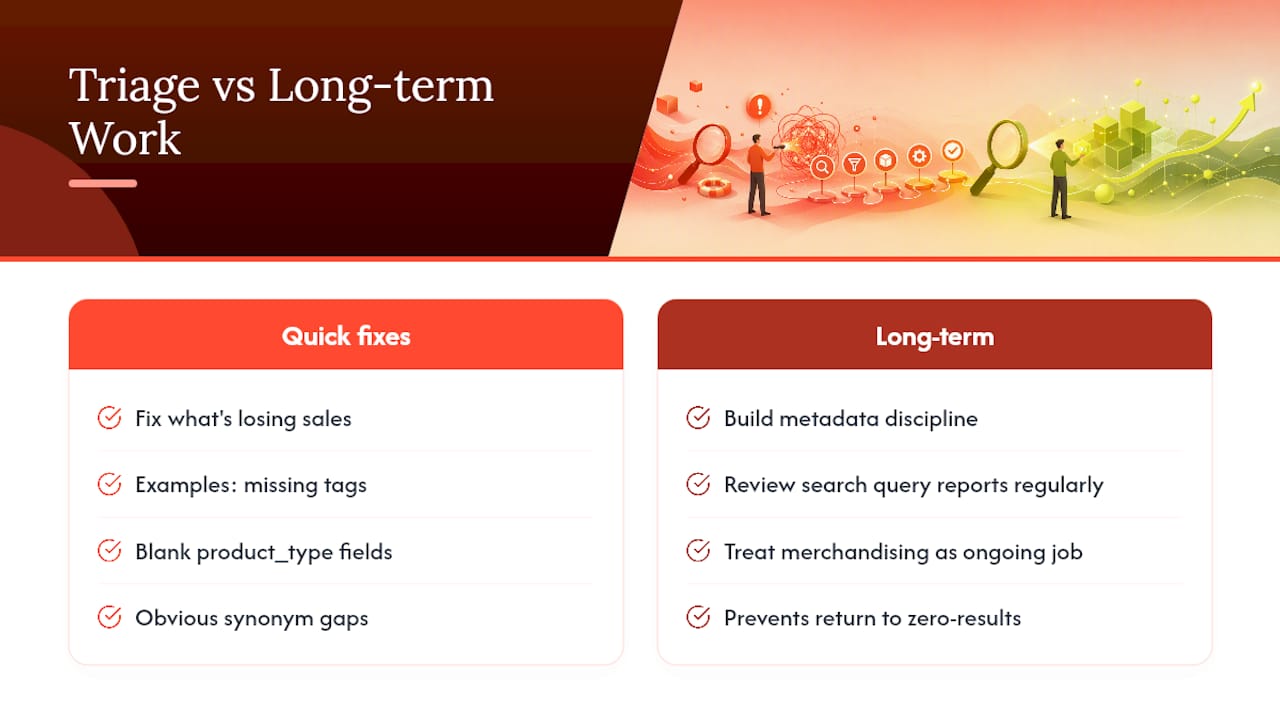
Fix what’s actively losing you sales first: missing tags, blank product_type fields, and obvious synonym gaps are the fastest wins, and they usually take an afternoon, not a sprint. Redirects and Search & Discovery tweaks come next.
The longer-term work is different. It’s building out metadata discipline as you add new products, reviewing search query reports on a regular cadence, and treating merchandising as an ongoing job rather than a one-time cleanup. A store that fixes product_type once and never looks at its query reports again will drift right back into the same zero-result problem within a few months.
When Should You Upgrade to a Managed AI Search Solution?
Manual fixes handle the majority of Shopify search issues described above. But if your query reports keep showing a stubborn 10% or higher zero-result rate even after cleaning up tags and product_type, or if your customers search by outcome (“something for a rainy hike”) rather than by product name, native search hits a ceiling that metadata cleanup alone can’t fix.

That’s the gap Indexa is built for. Instead of chasing every synonym and typo manually, Indexa layers typo-tolerant, semantic search on top of your existing catalog, so “waterproof jaket” and “rain coat” both surface the right products without you writing a synonym rule for every possible misspelling. It runs as a fully managed AI search and discovery service, meaning there’s no theme rebuild or developer sprint required. It activates in minutes and gets tuned continuously against your store’s real search data, with merchandising controls and analytics included rather than bolted on separately.
If you’re weighing whether to keep patching Shopify’s native Search & Discovery setup or move to something purpose-built, start with a free Shopify search audit. Bring your failed search examples, recent product changes, and query reports, and you’ll walk away knowing exactly how much revenue your current search setup is likely costing you.
Where to Verify These Fixes Yourself
- Shopify’s own documentation on storefront search behavior confirms exactly which product fields get indexed.
- The Shopify blog’s guide to no-results pages covers UX remediation for zero-result searches.
- Shopify Community threads document real merchant cases with the same symptoms covered here.
- For metadata that also feeds SEO, this Shopify SEO automation guide covers how product data affects both search and discoverability.
Sources
- Shopify Help Center | Search behavior in your online store
- Shopify Search Not Working? Complete Diagnostic Guide (2026) - DEV Community
FAQ
Is Shopify Having Issues Right Now?
Check a live status monitor before assuming your store alone is affected. Shopify has had documented Storefront Search and Catalog API incidents that caused inconsistent results across multiple stores at once, not just yours.
Which Browsers Are Compatible With Shopify Search?
Shopify’s storefront search works across all major modern browsers, including Chrome, Safari, Firefox, and Edge. If search fails in one browser but works in another, the problem is almost always a cached file or a browser extension, not Shopify itself.
Why Is Shopify Search Failing on My Store Specifically?
The most common cause is a mismatch between what customers type and what’s actually stored in your title, tags, product_type, or description fields, since storefront search only matches those specific fields. Theme errors and app conflicts are the next most likely causes.
What Is the Biggest Problem With Shopify’s Native Search?
Its literal, field-based matching struggles with typos, synonyms, and natural-language queries, which is why zero-result search pages are so common even on well-organized stores. This is the specific gap that typo-tolerant, semantic search products like Indexa’s query understanding feature are built to close.
How Long Should I Wait Before Assuming Search Is Actually Broken?
Give a recent product edit or import up to a few hours to index fully before troubleshooting further. If it’s been longer than that with no change, move on to checking themes, apps, and Shopify’s status monitors.
## Recommended

- [Free Shopify Search Audit Checklist](https://indexa.now/shopify-search-checklist)
- [Free Shopify search audit](https://indexa.now/audit)
- [Beyond Shopify Search & Discovery — the managed AI upgrade](https://indexa.now/shopify-search-and-discovery-alternative)
- [Recommendations](https://indexa.now/features/recommendations)
Make discovery work harder.
See what your Shopify search could do better with a free, hands-on audit.
Get your free search audit