Seasonal Merchandising on Shopify: A Playbook for Search and Collections
Plan seasonal merchandising on Shopify: build the calendar, reorder collections, fix search for typos and vague queries, and measure what each season earns.

Seasonal Merchandising on Shopify: A Playbook for Search and Collections
Seasonal merchandising on Shopify means changing what shoppers see first, in collections, on the homepage and in search results, so it matches what they want to buy right now. Most stores handle the banner and the discount. Fewer handle the part that decides whether a shopper actually finds the product: collection order, filters and the search box. This guide covers all of it, in the order you would do the work.
TL;DR
- Seasonal merchandising is a repeating operating rhythm, not a one-time redesign: plan from 12 to 24 months of your own sales history, then run the same cycle every season.
- Treat banners, collections, products and discounts as one change set with a start date, an end date and a teardown step.
- Shoppers behave differently by season: more browsing and filtering in slow periods, more direct search and fast paths to popular products in high-pressure ones.
- Search is where seasonal plans quietly fail. Typos, vague phrases and your own seasonal vocabulary need to map to the products you are promoting.
- Measure seasonal-page traffic, conversion rate, revenue per campaign and the searches that return nothing, then feed what you learn into the next season.
Table of Contents
- What seasonal merchandising really covers
- Build the seasonal calendar from your own data
- Plan the timeline backward from the peak
- Reorder collections to match the season
- Match the experience to how shoppers behave in each season
- Where seasonal plans leak: the search box
- Search and discovery content that supports the season
- Measure what each season earns
- Planning for more than one market
- Our perspective
- Start with a free look at your seasonal search
- FAQ
- Sources
What seasonal merchandising really covers
Seasonal merchandising aligns collection order and featured products with buying patterns shaped by weather, cultural events and gift-giving cycles, according to Snapp’s guide to Shopify merchandising. The same source describes merchandising as a repeatable operating rhythm rather than a redesign you do once, and that framing is the most useful one for a small team.
In practice it touches five surfaces:
- The homepage and banners, which announce the season.
- Collections, where the order of products decides what gets seen.
- Product pages and content, which need seasonal descriptions, images and availability.
- Navigation and filters, which help browsers narrow down.
- Search and recommendations, which catch shoppers who already know what they want.
Most seasonal advice stops at the first two. The last two are where intent is highest. A shopper who types a query into your search box has told you what they want, and if the store answers with nothing or with last season’s stock, the campaign you paid to promote has just lost a sale.
Build the seasonal calendar from your own data
Start with what your store already knows. Trafficontent recommends using 12 to 24 months of Shopify history, email behavior, Google Trends and Shopify Analytics to find recurring seasonal demand by category, SKU and average order value. That gives you a calendar based on your customers rather than on a generic list of holidays.
A practical way to do it:
- Export orders by month and group them by collection or product type.
- Mark the weeks where a category’s share of revenue jumps, and the weeks before the jump, since shoppers start searching earlier than they buy.
- Note the average order value in each window. Gift seasons often lift basket size, and that changes which products you feature.
- Add your own events: launches, sample sales, restocks, supplier lead times.
- Give each entry an owner for creative, inventory and paid media.
The same source frames the calendar as a living operating system: historical behavior, outside trend signals, local events, ownership, attribution and post-season experiments all feed it. Keep it short enough that someone actually opens it each week.
Include micro-seasons
A fashion store has more than four seasons. Transitional weather, back-to-school, wedding season, vacation packing and end-of-season clearance each have their own vocabulary and their own products. If your history shows a bump you cannot explain with a holiday, you have found a micro-season. Add it to the calendar.
Plan the timeline backward from the peak
Work backward from the date demand peaks. Lucent Commerce’s holiday playbook suggests auditing themes and apps six weeks before peak, testing offers five weeks before, confirming inventory and fulfillment four weeks before, and freezing nonessential code changes two weeks before. That is written for the holiday season, but the sequence works for any peak. Scale the weeks to the size of the season.
| Weeks before peak | Storefront and merchandising task |
|---|---|
| 6 | Audit theme, apps, collection structure and search settings |
| 5 | Test offers, bundles and seasonal landing pages |
| 4 | Confirm inventory and fulfillment; finalize collection order |
| 2 | Freeze nonessential code changes; check search for seasonal terms |
| Peak | Monitor bestsellers, site speed, checkout and search results daily |
| After | Tear down banners and discounts; review results; note lessons |
Fyresite’s seasonal checklist covers the same ground from another angle: review past bestsellers, campaigns and channels, refresh product content, check inventory and suppliers, schedule email, social, influencer and paid activity, then monitor bestsellers, site speed, checkout and metrics during the season.
Ship the storefront as one change set
A common failure is a half-updated store: the banner says spring while the top of the main collection is still full of winter coats. Octocrew’s storefront checklist recommends treating products, collections, banners and discounts as a single change set with a clear start, end and teardown plan, so the store reflects the current campaign at all times. Write the teardown down before launch. Expired promotions and stale banners cost more trust than a missing one.
Reorder collections to match the season
Collection order is the cheapest seasonal lever you have, and shoppers rarely scroll past the first screen or two. A few rules of thumb:
- Put in-season, in-stock products first. Sold-out or out-of-season items near the top are dead ends.
- Pin your hero products, automate the rest. Pin the handful you are promoting and let sales data order the remainder, so you are not re-sorting hundreds of products by hand. Our guide to pinning products with a merchandising grid editor shows how that works in practice.
- Merchandise by search intent, not only by category. Shoppers who type “vacation dress” or “cozy gifts” are not browsing your taxonomy. Search merchandising lets you control what those results show.
- Retire things on schedule. When the season ends, move seasonal products out of the main collections and back into an archive collection.
As demand data arrives during the season, keep adjusting. An academic paper on dynamic assortment with demand learning makes the point that retailers can make more assortment decisions in-season as real demand information comes in. You do not need that paper’s math to use the idea: check what is selling every week and move it up.
Match the experience to how shoppers behave in each season
Discovery behavior changes with the calendar. According to Peasy’s analysis of seasonal product discovery, shoppers may prioritize broad exploration through filters in spring, then switch to targeted, purpose-driven search and fast conversion paths during high-pressure holiday periods. Treat that as a working hypothesis to test against your own analytics, not a law.
If it holds for your store, it suggests two modes:
| Period | Typical behavior | What to emphasize |
|---|---|---|
| Slow or exploratory | Browsing, comparing, filtering | Category navigation, filters, curated collections, lookbooks |
| Focused or high-pressure | Looking for something specific, buying fast | Search quality, direct paths to popular products, clear stock and shipping cutoffs |
Filters matter in both modes, but they have limits on Shopify. If your catalog is large and you are working around the platform’s filter cap, see our notes on faceted search around the 25 filter limit.
Where seasonal plans leak: the search box
You can do everything above correctly and still lose sales if the search box cannot connect shoppers to the seasonal products you just featured. Seasonal peaks send more traffic through search at the moment you can least afford failed queries. Four problems show up again and again.

Typos and spelling variants
Shoppers in a hurry misspell things, and seasonal and fashion vocabulary is full of tricky words: names of fabrics, colors, cuts and occasions. A search that returns nothing for a near-miss sends the shopper away. Our guide to fixing misses with fuzzy search and the 30-day audit for spell correction walk through how to find the misspellings that cost you the most.
Vague and natural-language phrases
Seasonal queries are rarely product names. They are needs: “outfit for a beach wedding”, “gift for a runner”, “something warm for fall”. A keyword-only engine looks for those exact words in your product titles and finds nothing. Semantic search reads intent instead. Start by testing 100 to 300 real queries, as laid out in semantic vs keyword search for Shopify, and fix the top failures first with the approach in fixing your top 20 search failures.
Your vocabulary versus theirs
You call it a “transitional jacket”. Shoppers say “light jacket”, “spring coat” or “shacket”. Synonym mapping closes that gap, and it has to be updated as the season turns. Do it carefully, because loose synonyms can hurt relevance; the ecommerce synonym strategy guide explains how to fix zero results without that side effect.
Long-tail seasonal queries
The long tail is where gift and occasion searches live: specific, descriptive and rare individually, but large in total. Fixing long-tail queries in 30 days shows how to work through them.
Shopify’s built-in tools can handle part of this. For a view of what they do and where they stop, read about predictive search setup and limits and how to work around the 10 result limit. A five-minute self-check is the free Shopify search audit checklist: run your top ten seasonal terms, with typos, and note which ones fail.
Make the search results seasonal too
Once search understands the query, it still needs to rank the right products first. That means the same merchandising logic as your collections: in-stock, in-season and high-margin items near the top, with pinned hero products for the biggest terms. If search relevance depends on messy product data, fix the data first, as described in Shopify search relevance: fix data first. Personalizing results by shopper context is a further step; see search personalization on Shopify.
Search and discovery content that supports the season
Seasonal merchandising also depends on being found before the shopper reaches your store. If you publish seasonal guides, gift lists and landing pages, structure and technical SEO matter as much as the visuals. A resource such as the Shopify SEO and AI search academy can help you adapt filters, search and conversion paths to how shoppers discover products in different seasons. Start these pages early: seasonal landing pages need weeks to be crawled and to earn visibility, so they belong in the calendar several weeks before peak.
Measure what each season earns
A season you do not measure is a season you will repeat blindly. Trafficontent recommends tracking seasonal-page traffic, conversion rate, revenue per campaign and seasonal keyword visibility, and using UTMs to connect content, email and social activity to revenue. If you want help linking marketing activity to revenue on the conversion side, a guide to website conversion rate optimization covers the basics.
Add search-specific measures to that list:
- Searches with zero results, grouped by theme. A cluster of zero-result seasonal queries is a to-do list.
- Search exit rate: shoppers who search, then leave.
- Search conversion rate versus store average, season by season.
- Top queries versus top clicks: if shoppers search for X and click on Y, your ranking or synonyms need work.
- Click position: if the product they buy is usually below the fold of results, move it up.
Our guide to Shopify search analytics covers what to track and how to act on it, and precision at 10 testing turns relevance into a number you can compare before and after a change. If you want to put a dollar figure on the gap, the site search revenue calculator gives you a starting estimate from your own traffic and conversion numbers.
On the inventory side, merchandise planning teams track measures such as full-price sell-through, stockout rate and markdown rate, as listed by Onebeat. For a small store, two are enough to start: what share of seasonal stock sold at full price, and how often a featured product was out of stock while you were promoting it.
Planning for more than one market
If you sell internationally, one calendar will not do. Trafficontent advises building a calendar of global and local dates, including regional events, shipping cutoffs, time-zone differences and niche observances. EasySell’s regional calendar shows why: it lists Ramadan and Eid for MENA, Diwali for India, double-digit shopping dates in Southeast Asia, and Black Friday and Cyber Monday in Western markets. The same source notes that Islamic holiday dates follow the lunar Hijri calendar and shift each year, so verify them annually instead of copying last year’s dates.

For search, this means seasonal vocabulary has to be localized, not just translated. The word shoppers use for a holiday gift, a festival outfit or a school uniform differs by market and by language, and your synonyms and multilingual setup need to reflect it.
Our perspective
We see the same pattern in Shopify stores every season. The merchant puts weeks into the campaign: the creative, the email, the discount. Then a shopper arrives, types a slightly misspelled or loosely worded query into the search box, and gets a blank page. The campaign worked. The search did not.
Our view is that seasonal merchandising has to include search from the start. Collection order, pinned products, synonyms and query understanding are one system, and they should change together when the season changes. That is hard for a small team to maintain by hand, because the vocabulary and the best sellers shift every few weeks.
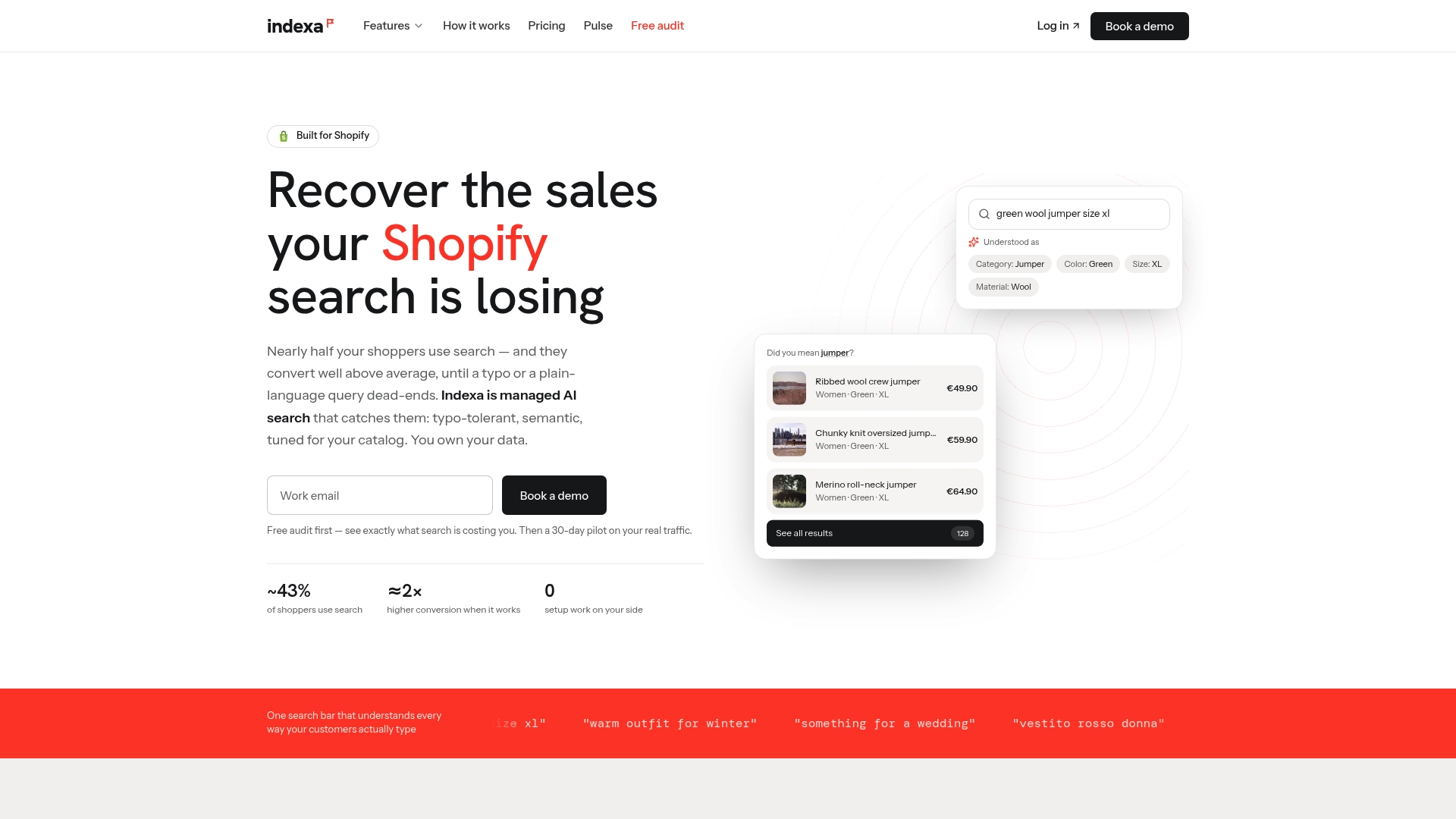
That is why we run search and discovery as a managed service for Shopify stores. We handle the installation, the tuning from your real store data, the typo tolerance and semantic matching, and the visual merchandising grid, so seasonal changes do not wait on developer time. Merchants keep ownership of their data, and billing is month to month without per-request fees.
The best seasonal plan is the one your store can still run in week three of the peak, when everyone is busy. Make search part of it.
Barikreativa
Start with a free look at your seasonal search
If you are not sure how your store handles seasonal queries today, the quickest answer is to test it. Our free audit checks how your search handles misspellings, vague phrases and the terms your shoppers use. If you then want us to run it for you, we offer a 30-day pilot with a one-time setup fee and a flat monthly retainer, and the details are on the pricing page. You can also see what is included on our features page, or start from the Indexa homepage.
If you already use Shopify’s own Search & Discovery app and want to see what a managed upgrade adds, read beyond Shopify Search & Discovery.
FAQ
When should I start seasonal merchandising for Shopify?
Start six weeks before the peak for the audit and testing steps, following the sequence in the Lucent Commerce playbook above. Seasonal landing pages and content need to go up earlier than that, since they take time to get discovered. Put every season on a recurring calendar so you are not rebuilding the plan each year.
How do I decide which products to feature for a season?
Use your own history. Look at 12 to 24 months of orders by category, SKU and average order value, and pick what rose in the same window in previous years. Then check inventory, so you only feature products you can ship, and adjust during the season as sales data comes in.
Why do shoppers get no results for seasonal searches?
Usually because the query does not match your product wording: a typo, a synonym you have not mapped, or a descriptive phrase such as “outfit for a beach wedding”. Check your zero-result queries, add synonyms for the most common ones, and test semantic matching for the descriptive ones.
Do I need an app for seasonal merchandising?
Not to start. A calendar, a clean collection order and a careful review of your top searches go a long way. An app or managed service becomes useful when the number of collections, queries and seasonal changes is more than your team can keep up with by hand.
What should I do when the season ends?
Run the teardown plan: remove banners and expired discounts, move seasonal products out of main collections, and retire seasonal synonyms and pinned products. Then review traffic, conversion, revenue and zero-result queries, and write down what you will change next year.
Sources
- Shopify Merchandising: How to Help Shoppers Find and Buy (Snapp)
- Seasonal Content Calendars for Shopify (Trafficontent)
- Shopify Black Friday & Holiday Playbook (Lucent Commerce)
- Seasonal Sales Checklist for Shopify Stores (Fyresite)
- Shopify Storefront Updates: A Checklist (Octocrew)
- Dynamic Assortment with Demand Learning for Seasonal Consumer Goods (MIT)
- Seasonal product discovery patterns (Peasy)
- The Future of Merchandise Planning Is Adaptive Execution (Onebeat)
- COD Holiday Calendar 2026: Peak Sales Dates by Region (EasySell)
Recommended
Make discovery work harder.
See what your Shopify search could do better with a free, hands-on audit.
Get your free search audit