Query Understanding in Ecommerce: How Search Reads Shoppers
Query understanding is how ecommerce search figures out what a shopper means, not just what they typed. Learn how it works, how to improve it and how to measure it.

Query Understanding in Ecommerce: How Search Reads Shoppers
Query understanding is the step where your store’s search decides what a shopper means before it looks for products. Instead of matching the literal words typed, it works out intent, product attributes and likely spelling fixes, then retrieves results based on that reading. When this step is right, “black dress for a wedding guest” finds dresses. When it is wrong, the shopper sees a tidy list of the wrong things, or nothing at all.
This guide explains what query understanding does, how it differs from keyword matching, how lexical, semantic and hybrid search fit together, and how a store can improve and measure it.
TL;DR
- Query understanding interprets intent, attributes and spelling in a search query first, then retrieves products. Keyword matching only compares the words typed.
- Most shopper queries are short and attribute-heavy, and many leave out details like brand, so the search engine has to infer them.
- Typos, synonyms, vague terms and multi-attribute queries are the main failure points, and each one has a practical fix.
- Improve it in this order: clean product data, spelling and synonym handling, semantic retrieval, then ongoing tuning on real queries.
- Measure it with zero-result rate, search-to-purchase conversion and a fixed set of real queries scored for relevance.
Table of Contents
- What query understanding means in ecommerce search
- What shoppers actually type
- The query types that break most stores
- Lexical, semantic and hybrid search: where query understanding fits
- How to improve query understanding on your store
- How to measure whether it is working
- Perspective: why understanding is a managed job
- Where Indexa fits
- FAQ
- Sources
What query understanding means in ecommerce search
In ecommerce search, query understanding is the process of analyzing what a shopper means, including intent and context, and using that interpretation to retrieve more relevant products rather than only matching the literal words. The same paper describes it as extracting shopping intents and product attributes from the query, fixing spelling mistakes and bringing in behavioral data to help retrieval.
A useful way to picture it is as a pipeline order. One ecommerce search framework puts it as interpret first, retrieve second, rank third, and notes that a correct-looking product list is still a failed search if the meaning was read wrongly. That is the key point: ranking cannot rescue a query that was misunderstood upstream.
How it differs from keyword matching
Keyword, or lexical, matching compares exact words or phrases entered by a user against an index. It is fast and predictable, and it works well when the shopper types the exact words your catalog uses. It breaks when they do not.
Here is how the two approaches treat the same queries:
| Shopper types | Keyword matching sees | Query understanding sees |
|---|---|---|
| “sneekers white” | Two unknown or odd tokens, likely zero results | Misspelling of “sneakers”, attribute: color = white |
| “something for a beach wedding” | Words that may not exist in any product title | Occasion intent, so lightweight dresses, linen, sandals |
| “hoodie” vs “sweatshirt with hood” | Two different sets of words | One product type described two ways |
| “nike” | A brand string to match anywhere | Navigational intent: show the brand’s products |
The gap between these columns is where stores quietly lose sales. The shopper does not blame the query. They blame the store and leave.
What shoppers actually type
Queries are shorter and more structured than most teams assume. A study of Amazon product search found that over 80% of search keywords are fewer than six words, and more than 90% are attribute combinations rather than natural-language questions. Think “red leather ankle boots size 8”, not “which boots should I wear with a red coat?”
Two things follow from that. First, attribute extraction (color, material, size, product type, brand) matters more than conversational flair. Second, shoppers expect the engine to fill in what they leave out. The SIGIR 2023 paper on implicit query parsing found that 84% of product search queries contain high-confidence implicit information, and that only 1% of customers type “apple” when looking for an iPhone or MacBook Air. Shoppers trust the search to understand what is implied.

Four kinds of intent
Intent is the other half of understanding. A common mapping ties four intent types to page types:
- Navigational: brand searches and direct product lookups.
- Informational: how-to queries and educational content.
- Commercial: best-of lists and comparisons.
- Transactional: buy, price, discount and deal queries.
On-site search is mostly navigational and transactional, with some commercial queries (“best running shoes for flat feet”). Classifying the intent decides what the shopper should see: a product grid, a category page, a size guide or a collection. A query pipeline that treats intent classification as part of query understanding uses it to choose the retrieval strategy, not just the ranking.
The query types that break most stores
AWS lists the common challenges for keyword-based search: typos, synonyms and regional dialects, feature-based, filter-based, context-based and thematic searches. Context-based searches are the hardest, because shoppers may use words that do not exist anywhere in the catalog. Here is what each looks like and what handles it.
Typos and spelling variants
“Jaket”, “leggins”, “sweter”. These are the cheapest sales to recover, because the shopper clearly wants something you sell. Typo tolerance and spell correction turn a zero-result page into a product grid. We walk through a 30-day approach to search spell correction if you want a concrete plan.
Synonyms and regional language
“Sneakers” or “trainers”, “pants” or “trousers”, “tee” or “t-shirt”. Synonym mapping connects the shopper’s word to your catalog’s word. It needs care, because a careless synonym floods results with near-misses. Our guides on synonym strategy that fixes zero results without hurting relevance and on synonym expansion for merchants cover the rules, and the free Shopify synonyms generator gives you a starting list.
Multi-attribute and filter-style queries
“Navy wool coat under 200” bundles a color, a material, a product type and a price ceiling. Matching works when attributes are stored as structured data, since a product matching all query attributes is a perfect match. If “wool” lives only inside a long description, the engine cannot treat it as an attribute. That is a product data problem as much as a search problem, and product tagging for search is where it gets fixed.
Short, ambiguous queries
“Watch”, “shirt”, “high end bike”. Google Research showed that shopping queries are usually ambiguous, and that a model combining user behavior with product metadata can learn the structured intent behind them. More recent work on the IntentTune framework found that a user’s prior search queries predict gender, age group, category and size intent better than population averages or static profile data for under-specified queries.
A Georgia Tech and Amazon paper makes a related point about rewriting: queries are short and ambiguous, so modeling a user’s search history is critical to rewrite them well. Models that combine query text, catalog information and behavior are one theme among many in these examples of AI in ecommerce.

Natural-language and thematic queries
“Gift for a runner”, “outfit for a winter wedding”. These are less common than attribute queries, but they are high intent and high value. They need semantic retrieval, which we cover next. Our piece on natural language search on Shopify shows how it works in practice.
Lexical, semantic and hybrid search: where query understanding fits
Query understanding is not a search type. It is the layer that sits in front of whichever retrieval method you use. The three methods differ in how they retrieve.
| Approach | How it retrieves | Strength | Weak spot |
|---|---|---|---|
| Lexical (keyword) | Matches the words typed against the index | Precise for exact terms, SKUs and brand names | Misses synonyms, typos and descriptive queries |
| Semantic | Matches meaning, using embeddings | Handles natural language and vague queries | Can return loosely related items for precise queries |
| Hybrid | Combines both | Covers exact and fuzzy needs | Needs tuning so one signal does not drown the other |
The practical answer for most stores is hybrid. Exact queries such as a model number should stay precise, while descriptive queries get semantic help. Query understanding decides which to lean on: a query that looks like a SKU goes lexical, and “cozy sweater for a cold office” gets semantic weight.
A good first step is to look at your own data rather than debate theory. Our write-up on semantic versus keyword search for Shopify suggests starting with 100 to 300 real queries and seeing which ones each method handles well.
Stop words deserve a mention too. Words like “for”, “with” and “the” can be noise or can carry meaning (“dress with sleeves”). How a store handles them is covered in our guide to stop words in search.
How to improve query understanding on your store
Work from the bottom up. Each step makes the next one more effective.
- Fix the product data. Attributes the engine cannot see are attributes it cannot match. Make sure color, material, fit, size, gender and product type exist as structured fields and use the vocabulary shoppers use.
- Read your query log. Export the top queries, the zero-result queries and the queries with searches but no clicks. Group them by type: typo, synonym, attribute, vague, brand.
- Turn on spelling tolerance. Typos are the easiest win and the least controversial.
- Map synonyms deliberately. Start with the zero-result queries that have an obvious catalog match. Add one mapping at a time and recheck results so you do not widen relevance by accident.
- Add semantic retrieval for descriptive queries. Keep lexical precision for exact terms and let meaning fill the rest.
- Shape the results page. Even a correctly understood query needs a sensible grid. Merchandising rules let you pin bestsellers or bury out-of-stock items for key queries.
- Handle the long tail. The rare queries are individually small but collectively large. See how to fix long-tail queries in 30 days.
- Repeat monthly. Catalogs, seasons and shopper language change. Understanding that was right in spring drifts by fall.
For a broader checklist, our site search best practices and the Shopify search audit checklist give you a structured way to work through it. Facets and filters also interact with understanding, since an extracted attribute often maps straight to a filter. Our guide on when to use facets covers the trade-offs.
How to measure whether it is working
Better understanding should show up in shopper behavior. Track these:
- Zero-result rate: the share of searches that return nothing. It should fall as spelling and synonyms improve.
- Search exit rate: how often a shopper leaves right after searching.
- Click-through on results: do shoppers click something in the top results?
- Search-to-cart and search-to-purchase conversion: the number that matters most for revenue.
- Revenue per search session: compare it with sessions that did not use search.
- Relevance on a fixed query set: pick 100 to 300 real queries, score the top 10 results for each as relevant or not, and rerun after every change. We explain the method in testing search relevance on Shopify.
Change one thing at a time and compare the same period length before and after, so seasonality does not fool you. To size the opportunity first, the site search revenue calculator helps you estimate how much revenue sits in searches that currently fail.
Perspective: why understanding is a managed job
We see the same pattern in store after store. The catalog is fine, the products are good, and shoppers still bounce because their first search returned nothing useful. The cause is rarely one big flaw. It is a thousand small misreadings: a typo here, a synonym there, a descriptive phrase the engine could not parse.
That is why we built Indexa as a fully managed service rather than a settings page. Query understanding is not something you switch on once. It is tuned against real store data, query by query, as the catalog and shopper language change. Typo-tolerant and semantic search, synonym mapping and a merchandising grid for search and category pages work best when someone owns them continuously.
Our view is that small brands should not need a search engineering team to compete with larger stores. Native Shopify integration, no required setup or coding, and ongoing relevance tuning let a merchant focus on the products while search keeps learning what shoppers mean. Merchants keep ownership of their data throughout.
Barikreativa
Where Indexa fits
If you would rather not build and tune this yourself, we offer a fully managed AI search and discovery service built for Shopify. It includes typo-tolerant and semantic search, multilingual support, synonym mapping, a visual merchandising grid editor for search and category pages, product recommendations, integrated analytics and ongoing relevance tuning based on your own store data. Migration support is available if you are moving from another search platform.
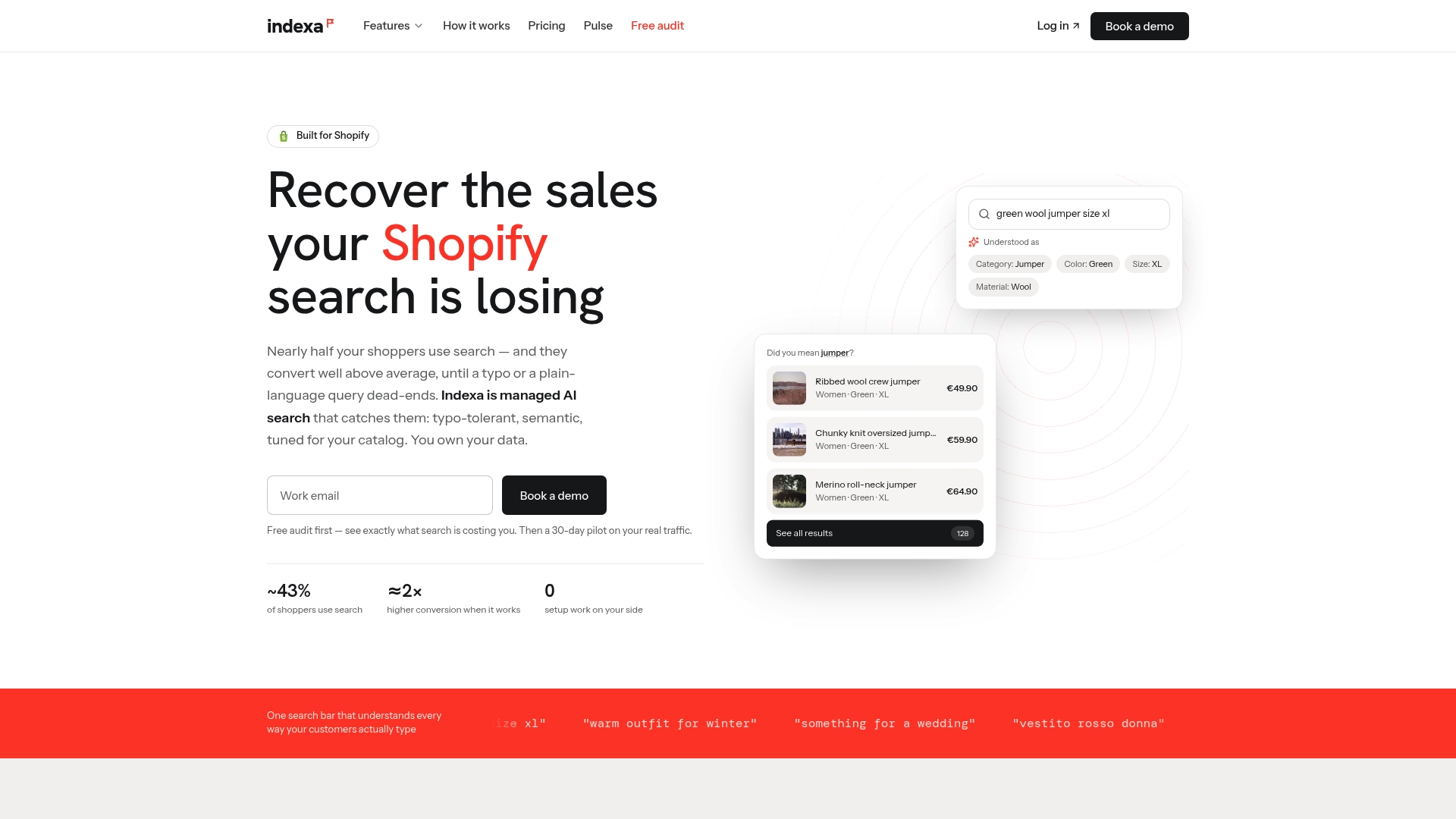
The easiest way to start is the free audit, which looks at how your current search handles real queries. If you want to see it live, the 30-day pilot gives you a defined window, and the pricing page explains the setup fee and flat monthly retainer. You can also browse the full feature list or read how we compare with Shopify’s built-in Search & Discovery.
FAQ
Is query understanding the same as semantic search?
No. Semantic search is a retrieval method that matches meaning. Query understanding is the interpretation step before retrieval: it classifies intent, extracts attributes and corrects spelling. It often feeds a semantic or hybrid engine, but it also helps a purely keyword-based one, for example by fixing typos before matching.
Do small Shopify stores need query understanding?
Yes, arguably more than large ones, because every lost search matters more with less traffic. Small catalogs often use unusual product names, so shopper words and catalog words diverge. Spelling tolerance and synonym mapping alone can recover a noticeable share of failed searches.
What is the quickest fix with the biggest effect?
Start with your zero-result queries. Export them, separate typos from synonyms and missing products, and fix the first two groups. Typos need spelling tolerance, and synonyms need careful mapping to the right catalog terms. Then recheck the list a week later.
How do I know if shoppers are misunderstood on my store?
Look for searches that end in an exit, a refined query right away or zero clicks. Then take a sample of 100 to 300 real queries and score the top 10 results for each. If a clear share of results are off target, understanding is the problem.
Sources
- Exploring Query Understanding for Amazon Product Search (arXiv)
- Exploring Query Understanding for Amazon Product Search (Big Data 2024)
- Implicit Query Parsing for Product Search (SIGIR 2023)
- Semantic Search vs. Keyword Search: What’s the Difference?
- Query interpretation in ecommerce search
- Search Intent for Ecommerce (EcomSEO Academy)
- Ecommerce query pipeline reference
- Revive lost revenue from bad ecommerce search using natural language processing (AWS)
- Predicting Latent Structured Intents from Shopping Queries (Google Research)
- IntentTune (arXiv)
- Context-Aware Query Rewriting for Improving Users’ Search Experience (arXiv)
Recommended
Make discovery work harder.
See what your Shopify search could do better with a free, hands-on audit.
Get your free search audit