Natural Language Shopify Search: How It Works and How to Add It
Natural language search lets Shopify shoppers type the way they talk. See how it works, what Shopify offers natively, and how to measure the results.

Natural Language Shopify Search: How It Works and How to Add It
Natural language search on Shopify means shoppers can type a full, everyday request, such as “comfortable red running shoes, men’s 10, on sale”, and get results that match the meaning of the request instead of only its exact words. You can get there through Shopify’s own Search & Discovery app, which includes semantic search for eligible stores, or through a managed search service that tunes the engine to your catalog. Either way, the quality of your product data decides how well it works.
TL;DR
- Natural language search reads intent, typos and conversational phrasing, while classic keyword search matches the terms shoppers type.
- Shopify’s semantic search runs through the free Search & Discovery app, with eligibility rules that depend on your plan, language and catalog size.
- Results depend heavily on catalog data: synonyms, attributes, tags and translations all shape what shoppers find.
- Measure with zero-result queries, searches that end in exits, and conversion for searchers against everyone else.
- A managed service can handle the tuning for you, so search keeps improving without engineering time.
Table of Contents
- What natural language search actually is
- Keyword, predictive, fuzzy and semantic search: the differences
- Why conversational queries matter for sales
- What Shopify offers natively
- Fix your data before you tune the engine
- Multilingual stores need extra care
- How to tell whether it is working
- Our perspective
- Get a view of your own search
- A 30-day plan to start
- FAQ
- Sources
What natural language search actually is
Natural language search is search in everyday language: the shopper phrases a request the way they would say it to a person. Search Engine Watch describes it as the opposite of keyword search, which breaks a query into its most important terms. The query can be typed, spoken or posed to an assistant.
In a store, the difference looks like this. A keyword engine hears “women’s brown boots” and looks for those words. A natural language engine can handle “I want to buy brown boots for women” and still understand that the shopper wants women’s boots in brown. The same source notes that this kind of search can also handle context, typo tolerance, multilingual queries and entities such as names, locations and times.
How the engine reads a long request
A common design splits a request into three parts. According to one technical guide, hard conditions become filters, preferences become ranking boosts, and the descriptive remainder is searched by meaning, often with a hybrid of keyword and vector search.
Take “comfortable red running shoes, men’s 10, on sale if possible”:
| Part of the request | What the engine does |
|---|---|
| Men’s, size 10 | Applies as a filter |
| On sale if possible | Boosts discounted items without excluding others |
| Comfortable red running shoes | Matches by meaning against titles, descriptions and attributes |
That split is why a good natural language engine feels forgiving. It does not fail because one word in the query is missing from a product title.
Keyword, predictive, fuzzy and semantic search: the differences
These terms overlap, and shoppers never see the labels. What matters is the failure each one fixes.
| Type | What it handles | Typical failure it fixes |
|---|---|---|
| Keyword | Exact and near-exact term matches | Baseline retrieval |
| Predictive | Suggestions while the shopper types | Slow, long typing |
| Fuzzy / typo tolerant | Misspellings and small variations | “jeens” returning nothing |
| Semantic | Meaning, synonyms and context | “blow dryer” versus “hair dryer” |
| Natural language | Full conversational requests | Long, vague or multi-part queries |
In practice a strong setup combines them. If you want the detail on each layer, our guides cover predictive search on Shopify, fuzzy search misses and semantic versus keyword search.
Why conversational queries matter for sales
Shoppers who search are your most motivated visitors. In an analysis of 609 million searches across more than 100 retailers, site searchers were about a quarter of visitors but close to half of revenue, and they converted at more than twice the rate of non-searchers. Every failed search is therefore a failure with your best prospects.
Conversational queries are where many stores fall short. A benchmark cited by a practitioner checklist reports that 43% of sites have issues with use-case queries, and the same source notes that shoppers type shorter queries and make more typos on phones. Shoppers describe an occasion (“dress for a beach wedding”), a use (“jacket for light rain”) or a feeling (“cozy sweater”), and a product title rarely contains those words.
Natural language search helps in three ways:
- Conversational phrasing. The engine extracts the product type, color, size and constraints from a sentence.
- Vague queries. A request like “something for a summer wedding” maps to products tagged or described with that occasion.
- Misspellings. Typo tolerance catches “sneekers” and “blazr” before the shopper sees an empty page.
What Shopify offers natively
Shopify’s own tooling is a solid starting point. Shopify announced AI-powered Semantic Search on February 1, 2024, initially for Shopify Plus customers with fewer than 200,000 products and English-language storefronts. It analyzes text and image data tied to products, so a “Valentine’s Day dress” search can surface red, pink or heart-printed garments.
To turn it on, download the free Search & Discovery app from the Shopify App Store, open Settings, scroll to Search Relevance and click Turn On. A 2026 report says a newer semantic upgrade is moving into broader availability for Plus and Advanced merchants, so check your admin for what your plan currently includes.
The native app is the right first step. Where merchants often want more is in the day-to-day work around it: mapping synonyms, tuning ranking on real queries, handling several languages and arranging results visually. That is the gap a managed layer fills, and we cover the comparison on our page about going beyond Shopify Search & Discovery.

Fix your data before you tune the engine
The most useful finding in the research is also the least glamorous: poor relevance is usually a catalog data problem, not an algorithm problem. The catalog says “hair dryer” while shoppers type “blow dryer”, or a distinguishing attribute was never indexed as searchable text.
The same source points out that a 10% zero-result rate can be mostly typos at one store and mostly missing inventory at another, and the two need different fixes. Sort your zero-result log into buckets before you change anything:
- Typos and spelling variants: handled by typo tolerance.
- Different words for the same thing: handled by synonyms. Our synonym strategy guide shows how to fix zero results without hurting relevance.
- Descriptive or occasion queries: handled by richer attributes and semantic matching.
- Products you do not carry: a merchandising and redirect decision, not a search bug.
For sorting the log and tracking progress in a repeatable way, teams that treat search as a performance discipline often pair this work with outside help on content and discovery, such as Shopify SEO automation for the pages that bring shoppers to your store in the first place.
Write attributes the way shoppers talk
One 2026 trade report advises tagging products with occasion, lifestyle signal, complementary uses and sensory descriptors, not only color and size. It also describes one brand seeing search-arrival conversion nearly 22 percent above its site average after moving to Shopify’s new semantic layer. Treat that as one brand’s reported result, not a promise.
A practical attribute pass for a fashion store:
- Pull your top 100 to 300 queries.
- Mark which ones describe occasion, fit, fabric, season or style.
- Check whether those words appear anywhere in titles, descriptions, tags or metafields.
- Add the missing language to the products that should match.
Multilingual stores need extra care
Natural language search is only as good as the language data behind it. Shopify’s native search indexes content from the active storefront locale, including titles, descriptions, vendors, variants and tags. Translated titles and descriptions are searchable in their locale.
Tags are the catch: the same source notes they are stored as plain strings and served identically in every locale, so merchants often add bilingual tags (for example both “winter-jacket” and “winterjacke”). That works, but it adds tag clutter and upkeep. Synonym mapping per language is a cleaner way to cover the same ground, and we explain where it can go wrong in multilingual synonyms on Shopify.
How to tell whether it is working
Speed alone says little. A fast search can still return the wrong products. Measure relevance on the queries that matter, and attribute any gap to a layer: catalog, ranking or query understanding, as the TensorOpt measurement guide recommends. Teams that run this kind of evaluation often work with ecommerce SEO specialists when the cause turns out to sit in content rather than the engine.
A simple scorecard:
| Metric | What it tells you |
|---|---|
| Zero-result rate | How often shoppers hit a dead end |
| Search exit rate | How often a search ends in leaving the site |
| Search conversion vs. site average | Whether searchers are being served well |
| Precision at 10 | Whether the top ten results are relevant |
| Revenue per search | The sales value of search quality |
Our walkthrough of testing search relevance from precision to sales shows how to build the query set and score it. To put a dollar figure on the opportunity first, use the site search revenue calculator.
Our perspective
We see the same pattern on Shopify stores of every size: merchants assume a search problem needs a new engine, when most of the lost sales sit in a few hundred queries that nobody has reviewed.
That is why we run search as a managed service. We start from your real store data, map synonyms, switch on typo tolerance and semantic matching, and keep tuning relevance as your catalog and shoppers change. Merchants keep ownership of their data, and the service is built natively for Shopify, including Hydrogen storefronts.
Natural language search should feel invisible. The shopper types what they mean, and the right products appear. Getting there is ongoing work on queries, attributes and merchandising, and we think that work belongs with specialists so your team can focus on the brand.
Barikreativa
Get a view of your own search
If you would like to see where your store loses shoppers, we start with a free audit of your search. Indexa is a fully managed AI search and discovery service for Shopify, with typo-tolerant and semantic search, multilingual support, synonym mapping, a visual merchandising editor and integrated analytics. There is no setup work on your side, and we can run a 30-day pilot so you see the effect on your own traffic.
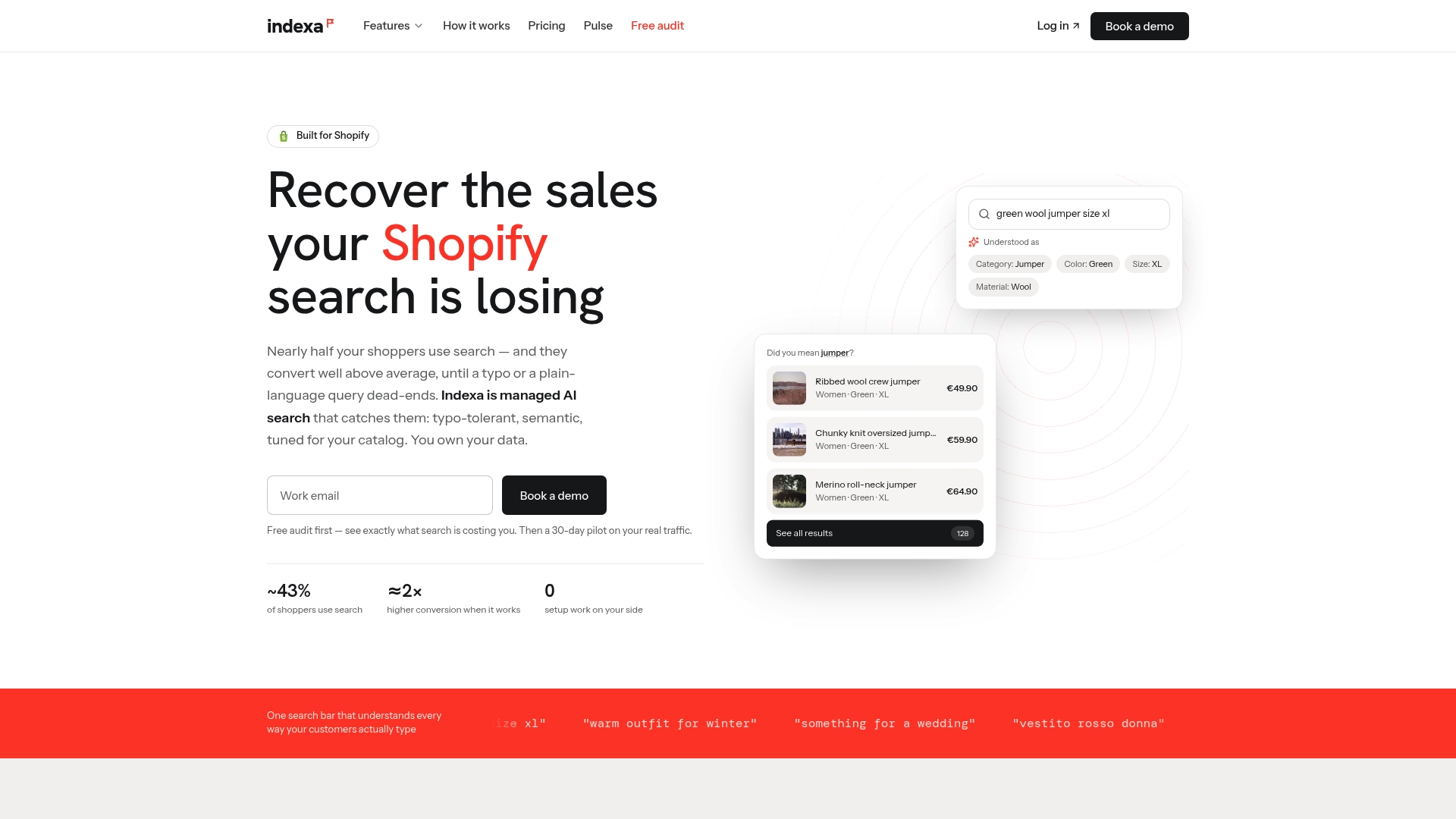
Pricing details, including the pilot, one-time setup fee and flat monthly retainer, are on our pricing page. You can also read how our query understanding works, or start from the managed service overview.
A 30-day plan to start
You do not need a replatform to improve conversational search. A realistic month looks like this:
- Week 1: export your top searches and zero-result queries, and bucket them by cause.
- Week 2: fix data: add synonyms, repair titles and attributes, and handle redirects for products you do not carry. Our guide to safe search redirects walks through it.
- Week 3: turn on or tune semantic matching and typo tolerance, and review the top results for your 20 most valuable queries.
- Week 4: re-measure zero-result rate, exits and search conversion against week 1.
For the failure patterns that show up most often, see the top 20 search failures on Shopify, and for the long tail, fixing long-tail queries in 30 days.
FAQ
What is natural language search in a Shopify store?
It is search that understands full, conversational requests instead of only matching typed keywords. A shopper can type a sentence with a product, a color, a size and a preference, and the engine turns that into filters, boosts and meaning-based matching. Typo tolerance usually comes with it.
Does Shopify have natural language search built in?
Shopify offers semantic search through the free Search & Discovery app, with availability tied to your plan, language and catalog size. Rollout has changed since the 2024 launch, so check the app’s Search Relevance settings in your admin for what your store can turn on today.
Why do shoppers still get zero results after I turn on semantic search?
Usually because of the catalog data, not the engine. If the words shoppers use never appear in your titles, descriptions, tags or synonyms, there is little for any engine to match. Review your zero-result log and sort the queries into typos, vocabulary gaps and missing products.
How do I know if better search is paying off?
Track zero-result rate, search exit rate and conversion for searchers against your site average, before and after changes. Add a precision check on your top queries. Our search relevance testing guide shows how to do it in a month.
Do I need to code anything to add natural language search?
With the native app, no. With our managed service, we handle installation and ongoing tuning, and you work from a no-code console. Hydrogen storefronts are supported too.
Sources
- Everything you need to know about natural language search, Search Engine Watch
- Natural Language Search: Personalizing the Shopping Experience, Netguru
- Natural Language Search vs Keyword Search, Semantic Search Guide
- Shopify’s new AI search feature, Inc.
- Shopify’s Semantic Search: Everything You Need To Know, WebsiteBuilderExpert
- Shopify Multilingual Search, StoreLingo
- Measuring ecommerce search relevance, TensorOpt
- Ecommerce site search best practices checklist, Gladly
- Shopify SEO automation, BabyLoveGrowth
- Ecommerce SEO, WWS
Recommended
Make discovery work harder.
See what your Shopify search could do better with a free, hands-on audit.
Get your free search audit