Hydrogen Faceted Search: How to Build It on Shopify
How to build faceted search in a Shopify Hydrogen storefront: filter data, URL state, Storefront API queries, UX, SEO and the metrics that show it works.

Hydrogen Faceted Search: How to Build It on Shopify
Faceted search in a Hydrogen storefront means letting shoppers narrow search and collection results by several product attributes at once, such as size, color, price and availability. Shopify supplies the filter data through Search & Discovery and the Storefront API. Your Hydrogen code has to supply the rest: routes, URL state, interface and testing. This guide covers each piece in the order you will build it.
TL;DR
- Shopify’s Storefront API returns the available filters and the total result count for a search, so you build the facet interface from that response instead of computing facets yourself.
- Keep filter and sort state in the URL, so refreshes, the Back button and shared links all restore the same results.
- Decide early which filtered URLs search engines may crawl. Google’s guidance is to block the ones that don’t need indexing.
- Facets only help if the query behind them finds the right products first. Typos and natural-language queries still need handling.
- Track filter use, zero-result rate and conversion after filtering, weekly, to know whether the facets work.
Table of Contents
- What faceted search means in a Hydrogen storefront
- Facets and filters: the difference that matters for your build
- What data Shopify gives you to build facets
- How the Storefront API serves facets
- Keeping browse state in the URL
- Designing facets people can actually use
- URLs, crawling and SEO
- Scale and performance
- Facets can’t fix a query that finds nothing
- How to tell whether your facets are working
- Our perspective
- Get a view of your own search first
- FAQ
- Sources
What faceted search means in a Hydrogen storefront
Shopify describes faceted navigation, also called faceted search, as a system that lets users refine search results or product listings using several criteria within a parent category. Typical facets are brand, size, color and price.
The same Shopify article lists three benefits: it saves customers time and can increase conversion, it exposes shoppers to more product types, and it lets a large catalog grow without redesigning the navigation menu.
In a theme-based store, much of this is handled for you. In Hydrogen, Shopify’s headless toolkit, the toolkit covers Shopify-specific logic such as the cart, variant selection and collection filtering. It works with frameworks that run server code, including Next.js, React Router, Nuxt, Astro and SvelteKit. The layout, the controls and the state handling are yours to build.
For a small brand competing with larger retailers, this is a good thing. You decide exactly how a shopper narrows 800 dresses to the three that fit. But the work has to be done on purpose.
Facets and filters: the difference that matters for your build
The two words get used interchangeably, and in a Shopify build the difference is mostly about combination. Nielsen Norman Group defines a filter as anything that analyzes a set of content and excludes some items. Faceted navigation is made of multiple filters that together describe the whole set of content. It is more flexible than a system offering only one or two filter types, especially for very large content sets.
Practically, for your storefront:
- A filter is a single control, such as “in stock only”.
- A facet is an attribute dimension, such as color, with its own values and counts, which shoppers combine with other facets.
Shoppers combine facets freely: size M, color black, under $80. If your interface only lets them apply one at a time, they will feel the difference quickly.
What data Shopify gives you to build facets
Before writing any Hydrogen code, set up the filters in the Shopify admin. The Shopify Help Center says that all stores can display the same standard filters: Availability, Category, Price, Product type, Tags and Vendor. You can also create custom filters from product options, metafields or metaobjects, with a maximum of 25 filters per store. Each filter source can be used only once.
Custom metafield filters support these value types: single line text, single line text (list), decimal, integer, true or false, metaobject reference, and metaobject reference (list). Standard product attributes from Shopify’s Standard Product Taxonomy are created automatically as product metafield definitions when you assign a category to products.
This has a practical consequence: your facets are only as good as your product data. If half your catalog has “Navy” and the other half “Dark Blue” in separate fields, shoppers will see two facet values for one color. Clean attributes first. If you need help configuring product attributes and filters for search and discovery, that is the place to start before touching code.
With 25 filters as the ceiling, choosing which attributes earn a slot matters. We cover how to do that without hurting your organic traffic in our guide to SEO-safe faceted search around the 25 filter limit.

How the Storefront API serves facets
The Storefront API search documentation says the response includes the total result count and the available product filters, for the purpose of building faceted search interfaces. A few limits are worth knowing: a search returns up to 1,000 results, the productFilters argument accepts up to 250 values, and the prefix argument enables partial word matching on the last search term.
Shopify’s search and discovery guide adds that you can filter on attributes such as availability, product type, color or other options, and query the available filters for the products in a result. Filters themselves are created and customized in the Shopify Search & Discovery app.
Search pages versus collection pages
According to the Hydrogen guide on building collection and search pages, a search results page uses the same components as a collection page, with a few differences:
- The search term lives in the
qparameter. - The query uses the Storefront API
searchfield, which returnsproductFiltersrather thanfilters, plus atotalCount. - Search supports only the RELEVANCE and PRICE sort keys. Any other sort key has to be mapped to RELEVANCE.
That last point catches teams out. If your collection pages offer “Newest” and “Best selling”, your search page cannot offer the same sort menu without a mapping decision. Decide what the shopper sees when they pick an unsupported option, and make sure the interface never silently ignores them.
Keeping browse state in the URL
The Hydrogen documentation says a collection page’s browse state is its filters and sort order, kept in the URL using Liquid’s filter and sort parameters. Filters use filter.* parameters, such as filter.v.option.color=Blue or filter.v.price.gte=20. Sorting uses sort_by, for example sort_by=price-ascending, and pagination uses after and before cursors.
On the server, the same documentation explains that parseCollectionParams turns the URL’s search parameters into the filters, sortKey and reverse values the Storefront API expects. serializeCollectionParams converts browse state back into URL parameters. On the client, createCollectionStore and CollectionProvider hold the browse state.
Per Shopify’s API reference for the collection store, each filter or sort change updates the state immediately and sets the status to loading. The app then navigates and the loader fetches the new products. That gives you a responsive interface with the URL as the source of truth.

Shopify’s faceted navigation article makes the same point from the UX side: manage filter state with URL parameters that reflect the chosen options, or with cookies, and don’t rely only on session IDs, which are typically reset when the session ends.
A short build sequence
- Define your filters in Shopify Search & Discovery and clean the product attributes behind them.
- Write the loader for your collection and search routes, parsing URL parameters into API arguments.
- Render facets from the API response, including value counts.
- Keep selections in the URL and update them on every change.
- Add a clear “remove” control for every active filter and a “reset all”.
- Handle zero results with a useful message and a way back out.
- Add analytics events for search, filter apply and filter remove.
Designing facets people can actually use
Shopify’s storefront filtering UX guidelines are specific enough to follow directly:
- Use checkboxes for list-type filters, which makes it obvious that several values can be selected at once.
- Use a dual-handled slider for price range filters, with number inputs labeled “From” and “To”, even if they are visually hidden, so the control is accessible.
- On large screens there are two standard layouts, a horizontal toolbar above the products and a vertical sidebar to the left. Shopify suggests considering both behind a theme setting.
- On mobile, move the filter interface into a drawer or modal, opened by a single button.
Mobile deserves most of your attention. A 2023 SIGIR eCom paper on dynamic filter discovery and ranking reported that filters chosen and ordered by customer engagement lifted filter engagement by 6.5 percent on desktop and 3.2 percent on mobile on a large e-commerce platform. The add-to-cart rate for the mobile group improved by 11.3 percent. The lesson for a small store is simple: show the facets people actually use first, and keep the long tail behind a “more” control.
Ordering matters in fashion. A shopper browsing jackets wants size, color and price near the top. Material and fit can wait a click lower.
An arXiv paper on GenFacet, deployed at JD.com, reported that online A/B tests showed a 42.0 percent relative increase in facet click-through rate and a 2.0 percent increase in conversion among users who interacted with facets, compared with a rule-based system. That is a very large platform, so treat it as evidence that facet relevance is worth tuning, not as a number to expect.
URLs, crawling and SEO
Every combination of facets can create a new URL. On a catalog with many attributes that means a huge number of near-duplicate pages. Google’s documentation on managing crawling of faceted navigation URLs, updated 2025-12-18, recommends:
- If faceted URLs don’t need to be indexed, prevent crawling with robots.txt, for example a disallow rule matching a
color=parameter, or use URL fragments for filters, since Google Search generally doesn’t support fragments in crawling and indexing. - If faceted URLs may be indexed, use the
¶meter separator, keep path-encoded filters in a consistent logical order, and return HTTP 404 for combinations that have no results.
Shopify’s own article shows both URL styles in the wild: parameters appended to a collection URL, and in some implementations new path-based URLs. In both, the content updates on the same page while the URL reflects the filters.
A workable policy for most fashion and specialty stores:
- Let shoppers use any combination, but keep most combinations out of the crawl.
- For combinations with real search demand, such as “black leather boots”, build a proper collection page and link to it internally.
- Return a true 404 for combinations that return nothing, as Google suggests.
- Don’t let infinite scroll hide products from crawlers or shoppers. Offer pagination links as well.
Our article on headless Shopify search options, tracking and pitfalls goes further on the tracking side of a Hydrogen build.
Scale and performance
Facets cost compute. Each applied filter changes the query, and the cheapest page is always the unfiltered one. A few habits keep a Hydrogen storefront responsive:
- Cache the unfiltered collection aggressively and give single-facet pages a shorter cache.
- Skip caching for deep combinations, because they rarely repeat.
- Debounce rapid filter clicks so you don’t fire a request per tap.
- Show a skeleton of the product grid while loading instead of a blank screen, and preserve scroll position.
- Keep metafield definitions tidy. Several metafields for one attribute produce inconsistent results.
The Storefront API cap of 1,000 results per search is also a design input. If your shoppers routinely scroll through hundreds of results, facets are your main way of getting them to a smaller, more relevant set. Our piece on beating Shopify’s 10 result limit covers the search UX side of that.
Facets can’t fix a query that finds nothing
Filters narrow a result set. They cannot rescue a search that returns the wrong set, or none. A shopper who types “blak dres” and lands on zero results never sees your facets at all.
So before investing weeks in filter design, check how your search handles misspellings, synonyms and natural phrasing. Our guides on fixing fuzzy search misses and semantic search for Shopify show how to find the worst failures. You can also run the free Shopify search test against your own store to see where queries break.
In Hydrogen, the Storefront API’s prefix argument helps with partial words, but it is not typo tolerance. That gap is where most stores lose sales, and where facets alone don’t help.
How to tell whether your facets are working
A small team doesn’t need a data science group. Track four numbers weekly, as ProductLasso suggests:
| Metric | What it tells you |
|---|---|
| Filter interaction rate | Share of category page sessions where at least one filter is used |
| Zero-result rate | Share of filter applications that return no products; investigate anything above 2 to 3 percent |
| Post-filter conversion rate | Whether shoppers who filter buy more than those who don’t |
| Revenue per filtered session | The money value of the feature |
Low interaction usually means the facets are hard to find or irrelevant. A high zero-result rate means your interface offers combinations that don’t exist. Hide values that would return nothing, or show counts so shoppers see that before they click.
Before launch, test the behaviors that break most often: counts match results, several filters work together, active filters are displayed and removable, the selection survives a refresh, and Back restores the previous state. Also try common, long-tail, typo and zero-result queries, plus the mobile drawer.
Our perspective
Most Hydrogen teams treat faceted search as an interface project. We see it as a data and relevance project that happens to have an interface.
The pattern we see in fashion and specialty stores is consistent. Shoppers type something imprecise, the results are weak, and the facets sit on top of a poor result set. Adding more filters does not recover that shopper. Fixing the query understanding does, and then the facets help them finish the job.
That is why we run search as a managed service. We handle typo-tolerant and semantic matching, synonym mapping, catalog syncing, and the visual merchandising grid for search and category pages, and we keep tuning relevance against your real store data. It works natively with Shopify, including Hydrogen, and you keep ownership of your data.
If you are building facets in Hydrogen, build them well. Then make sure what they narrow down is worth narrowing.
Barikreativa
Get a view of your own search first
If you are not sure whether your search or your facets are costing you sales, start with a look at your real queries. Our free audit reviews how your store search handles them.
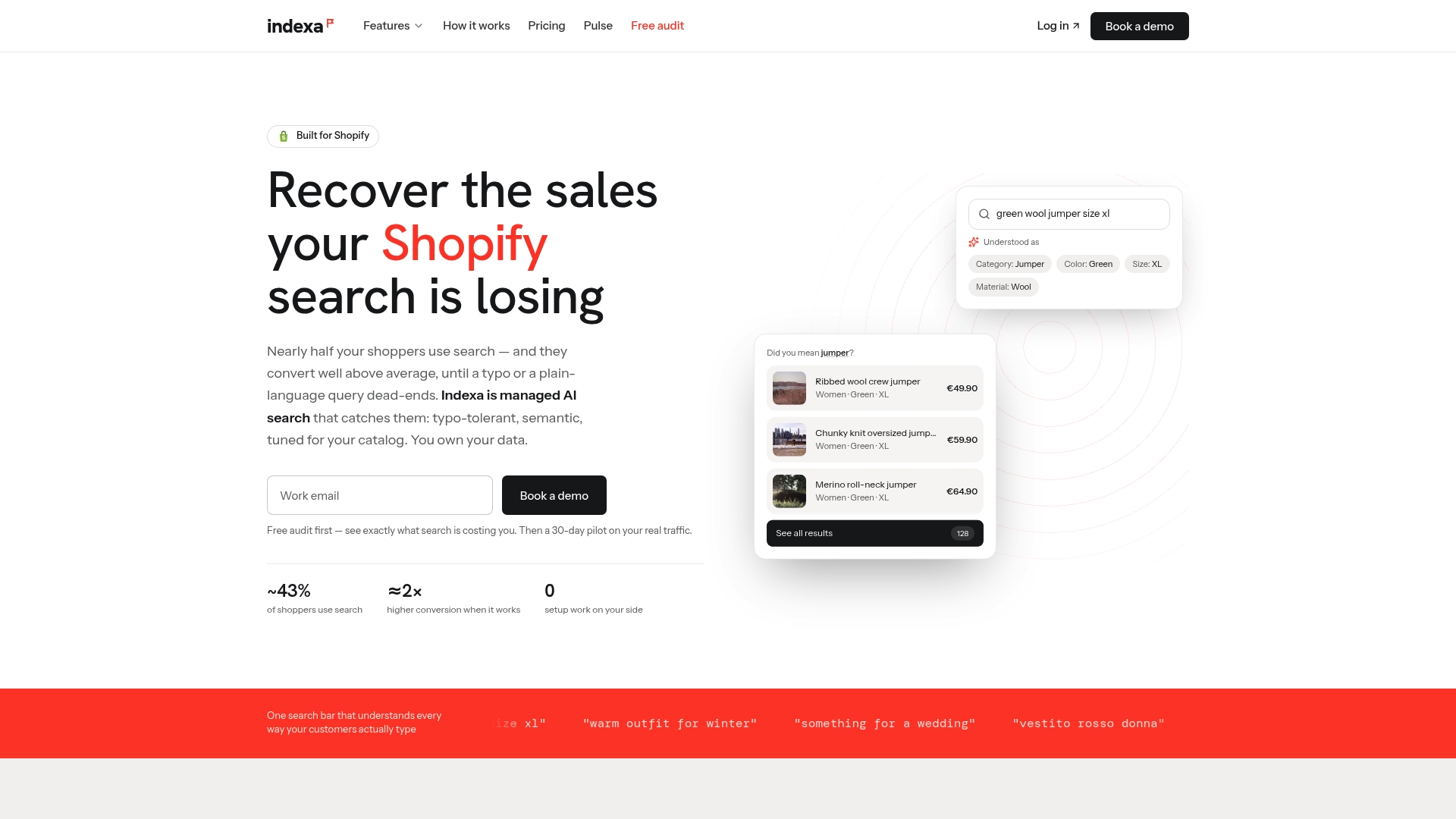
If you want to go further, Indexa’s managed AI search and discovery is designed to be switched on without setup on your side, with a 30-day pilot so you can see it on your own catalog. Details on the setup fee and monthly retainer are on the pricing page.
FAQ
Does Hydrogen include a ready-made faceted search component?
Hydrogen provides the building blocks, not a finished interface. Shopify’s documentation covers URL parsing and serializing helpers, a collection store for browse state, and the Storefront API fields that return filters. You design and build the facet controls yourself.
How many filters can a Shopify store offer?
Shopify’s Help Center sets a maximum of 25 filters per store, and each filter source can be used only once. Standard filters include Availability, Category, Price, Product type, Tags and Vendor. Custom filters can come from options, metafields or metaobjects.
Should filtered URLs be indexed?
Usually not all of them. Google recommends blocking crawling of faceted URLs that don’t need to be indexed, or using URL fragments. Where you do allow indexing, keep parameters consistent and return a 404 for empty combinations. Create real collection pages for combinations people search for.
Why do my search results page and collection page sort differently?
The Storefront API search field supports only the RELEVANCE and PRICE sort keys. Other sort options on collection pages have to be mapped to RELEVANCE on search, so design the sort menu with that in mind.
Sources
- Faceted Navigation: SEO and UX Best Practices, Shopify
- Hydrogen, Shopify developer documentation
- Filters vs. Facets: Definitions, Nielsen Norman Group
- Adding filters with Shopify Search & Discovery, Shopify Help Center
- Storefront API search query, 2026-04
- Search and discovery, Storefront API guide
- Build collection and search pages, Hydrogen
- Collection store, Hydrogen API reference
- Storefront filtering UX guidelines, Shopify
- Dynamic Filter Discovery and Ranking Framework, SIGIR eCom 2023
- GenFacet, arXiv 2026
- Managing crawling of faceted navigation URLs, Google
- Filters That Convert: How to Design Facets Shoppers Use, ProductLasso
Recommended
Make discovery work harder.
See what your Shopify search could do better with a free, hands-on audit.
Get your free search audit