Discoverability vs. Findability: What Each Means for Your Store
Findability is shoppers locating what they already want. Discoverability is shoppers meeting products they didn't know to look for. Here is how to fix both.

Discoverability vs. Findability: What Each Means for Your Store
Findability is how easily a shopper locates something they already know, or assume, is in your store. Discoverability is how easily they run into products or features they didn’t know to look for. On a Shopify store, both run through the same place: search, navigation and the product suggestions around them. When a shopper mistypes “cardigan” or types “something warm for a wedding in October” and gets an empty page, you lose a findability sale and a discovery sale at once. A managed search service such as Indexa, which adds typo-tolerant and semantic search to Shopify stores without any setup on your end, is built for exactly that gap.
TL;DR
- Findability serves shoppers who know what they want. Discoverability serves shoppers who don’t yet know what exists.
- Findability depends on navigation, search, spelling tolerance and filters. Discoverability depends on recommendations, related products, merchandising and how search handles vague, natural-language queries.
- Research shows that users succeeded in their first on-site search only 51% to 64% of the time, so most stores leave findability gains on the table.
- Diagnose first: test whether people can reach a known item, then check whether they notice what they didn’t ask for.
- Fixing search is the shortest path to improving both, because search is where known-item and open-ended intent meet.
Table of Contents
- The difference in one minute
- Findability: when the shopper already knows
- Discoverability: when the shopper doesn’t know yet
- Where the two overlap: your search box
- What the evidence says about payoff
- How to tell which problem you have
- Fixing findability, step by step
- Fixing discoverability, step by step
- What we offer if you want this handled for you
- Our perspective
- FAQ
- Sources
The difference in one minute
The two words are often used as synonyms, and the pages that define them disagree on the edges. The core is consistent, though.
Nielsen Norman Group, the usability research firm, describes findability as users easily finding content or functionality they assume is present, and discoverability as users encountering content or functionality they weren’t aware of. Baymard Institute, which studies e-commerce usability, frames findability as how easy it is to locate content on a site, and discoverability as whether a user notices a feature or content without knowing in advance that it exists.
A simple way to hold the difference:
| Findability | Discoverability | |
|---|---|---|
| Shopper’s state of mind | “I know what I want.” | “I don’t know what’s available.” |
| Typical action | Types a product name, picks a category, applies a filter | Browses, scrolls, clicks a suggestion |
| What fails | Misspelled query, wrong synonym, hidden category | Nothing is surfaced, no related items, flat results |
| Where you fix it | Search relevance, navigation, filters, autocomplete | Recommendations, merchandising, search for vague queries |
| Typical loss | Shopper leaves believing you don’t stock it | Shopper buys one item, or none, and never sees the rest |
One more framing is useful. A knowledge-management consultancy describes findability as driven by users actively seeking information through search or navigation, and discoverability as serendipitous, pushing information to users whether or not they know it exists. In a store, that push comes from curation, platform features or machine learning.
Findability: when the shopper already knows
A findability failure is the most expensive kind, because the shopper has already decided to buy. They want a “linen shirt,” a specific sneaker or a size-medium black dress. If your store can’t show it, they don’t wonder what else you sell. They leave.
Baymard’s e-commerce guidance names several practical levers for known-item shoppers:
- Put product categories at the first level of the main navigation. Baymard’s testing found that hiding categories behind a single “Products” or “Catalog” hover item caused severe findability issues, because visitors couldn’t see what the site sold.
- Map misspellings to relevant autocomplete suggestions. Shoppers type fast, on small screens, and often don’t know how a brand or style name is spelled.
- Offer the essential filters. Baymard lists price, average user rating, color, size and brand.
For fashion stores, the vocabulary problem is sharper than for most. One shopper types “trousers,” another “pants,” another “slacks.” One types “hoodie,” another “hooded sweatshirt.” If your product data uses only one of these, the others hit a wall unless search understands synonyms. Our guides on query expansion in ecommerce and fuzzy search on Shopify go through how these misses happen and how they are closed.
Discoverability: when the shopper doesn’t know yet
Discoverability is quieter. Nobody complains that they didn’t find a product they never knew about. The loss shows up as a smaller basket, a shorter visit, a first-time buyer who never returns.
The design problem is human. As the UX research platform Dovetail notes, users generally don’t look for features they don’t know exist, so if they never encounter something, they never seek it out. That applies to products as much as interface features: a shopper won’t search for a jacket style they haven’t seen.
Baymard’s e-commerce recommendation here is modest and practical: related or alternative product links and add-on suggestions on product pages, so shoppers find the right item and discover complementary ones. Filters also play a double role. A CRO agency’s guide to product filters points out that they help visitors find products they already want and are a key component of product discoverability.
Search itself is a discovery channel too. Shoppers who type a need instead of a product name (“dress for a beach wedding,” “gift for a runner”) are asking your store to suggest things. Keyword-only matching returns nothing, or the wrong thing. Semantic search, which reads the meaning of a query rather than only its literal words, is what turns those queries into product lists. Our piece on query understanding in ecommerce explains how that reading works.

Where the two overlap: your search box
The distinction is clean in theory and blurry on a real store, because the same screens serve both goals. A results page is a findability tool for the shopper who typed an exact name and a discovery tool for the one who typed “summer.” A filter sidebar lets one person narrow to a known item and lets another stumble on a color they hadn’t considered.
That is why we treat search as the center of both problems. If search fails on misspellings, synonyms and plain-language queries, findability drops. If it returns rigid, unmerchandised lists, discovery drops. Fixing the search layer lifts both.
Two practical consequences:
- Don’t buy separate tools for two problems. Typo tolerance, synonym handling, semantic matching, merchandising controls and recommendations should work from the same catalog data and the same query logs.
- Treat zero-result and low-result queries as your main diagnostic. Each one is a shopper who tried to find or discover something and was told nothing exists. We walk through the numbers worth tracking in five ecommerce search metrics Shopify stores must fix.
What the evidence says about payoff
Be careful with the numbers. Most published studies measure one thing, in one setting, so use them as direction rather than a promise.
Known-item search is often unsuccessful. Nielsen Norman Group reported that users succeeded in their initial within-site search 51% of the time in its first study and 64% in its newer one. Even the better number means roughly one in three first searches fails.
Better attribute data improves search outcomes. A 2026 academic study auditing 25,000 SKUs found that granular SKU-level attribute mapping raised search-to-product click-through by 4.2% to 7.8% and conversion by 1.9% to 3.4%, and cut zero-result queries from 21.5% to 5.1%. The study also reported higher average order values. The lesson for a merchant is that clean, specific product data gives search more to work with.
Discovery tools can pay off slowly. In a test with roughly 500,000 users on a major Chinese e-commerce platform, researchers at Harvard Business School found that text-and-image refinement suggestions led 5.5% of the test group to search narrower queries, against 1% of the control group. Purchasing didn’t rise immediately, but six months later the test group had completed 1.6% more orders and spent 3.2% more. The same research notes that better search also boosts visibility for less popular products and smaller sellers, which matters if you are a small brand competing with a larger one.
If you want to read more on how search quality connects to longer-term growth, this overview of search visibility metrics for online growth is a reasonable next stop for the measurement side.

How to tell which problem you have
Before changing anything, find out where shoppers fail. Nielsen Norman Group recommends four methods to diagnose low findability and discoverability:
- Tree testing checks whether people can reach a target through your category structure, and records direct and indirect success and first clicks.
- Card sorting shows whether your category names match how shoppers group products.
- Click testing shows which navigation components people use or ignore.
- Usability testing records task success and perceived difficulty.
A UX writer’s explainer adds a useful split: findability is tested by asking users to find a known item, while discoverability is judged by whether users notice a feature on their own, or by analytics showing real usage.
For a Shopify store, a practical first pass looks like this:
- Pull your top search queries and your zero-result queries from the last 30 to 90 days.
- Sort the failures by type. Misspellings, synonyms, attribute combinations (“black wide-leg pants size 12”) and need-based phrases each point to a different fix.
- Run your twenty most common queries yourself, on mobile as well as desktop, and note what appears in the first ten results.
- Check what happens after a product page view. Are there related items? Do shoppers click them?
- Compare search sessions with non-search sessions. If people who use search convert worse than people who browse, search is costing you sales.
This is where we can take the work off your hands. Our free audit looks at how your store’s search handles these cases, and the Shopify search audit checklist shows what is reviewed. If you’d rather quantify the stakes first, the site search revenue calculator gives a rough sense of what poor search may cost.
Fixing findability, step by step
1. Make spelling mistakes harmless. Typos are the most common reason a known item isn’t found. Typo-tolerant search returns the right product for “sneekers” or “cardigon.” Our guide to search spell correction shows how to audit this over 30 days. Indexa’s search is typo-tolerant out of the box.
2. Map synonyms and regional terms. Pants and trousers, sneakers and trainers, purse and handbag. Synonym mapping is manual, ongoing work if you do it in a spreadsheet, because new terms keep appearing in query logs. Indexa includes synonym mapping and tunes relevance continuously from your store’s real data, so the list doesn’t go stale.
3. Add autocomplete that guides rather than guesses. Suggestions help shoppers who don’t know the exact name, and they steer typos toward real products. See our notes on autocomplete for Shopify search and predictive search on Shopify.
4. Get filters right. Use the filters shoppers actually need, such as size, color, price and brand, and know where platform limits bite. Our article on faceted search around Shopify’s 25 filter limit covers it.
5. Keep the language consistent. Stores selling in more than one language often see results revert to a default. Indexa supports multilingual search, and our post on language fallback in Shopify search explains the symptom.
Fixing discoverability, step by step
1. Handle natural-language queries. Shoppers who type a need or an occasion need semantic matching. A good place to start is your 100 to 300 most common queries, as described in semantic vs. keyword search for Shopify and fixing your top 20 search failures.
2. Merchandise your results. Search and category pages are shop windows. Decide which products lead for broad queries instead of leaving ordering to default rules. Indexa includes a visual merchandising grid editor for search and category pages, run from a no-code console, so you can arrange results without a developer.
3. Add recommendations. Related and complementary products on product pages and in the cart are the discovery layer Baymard points to. Indexa offers product recommendations that work from the same catalog as search.
4. Cover the long tail. Rare and oddly worded queries are where small brands lose the most, because larger stores have more data to learn from. See our guide to long-tail queries on Shopify.
5. Let results evolve. Because discovery gains can show up months after a change, as the Harvard Business School test did, judge a change over a longer window than one week, and keep adjusting from your analytics.
What we offer if you want this handled for you
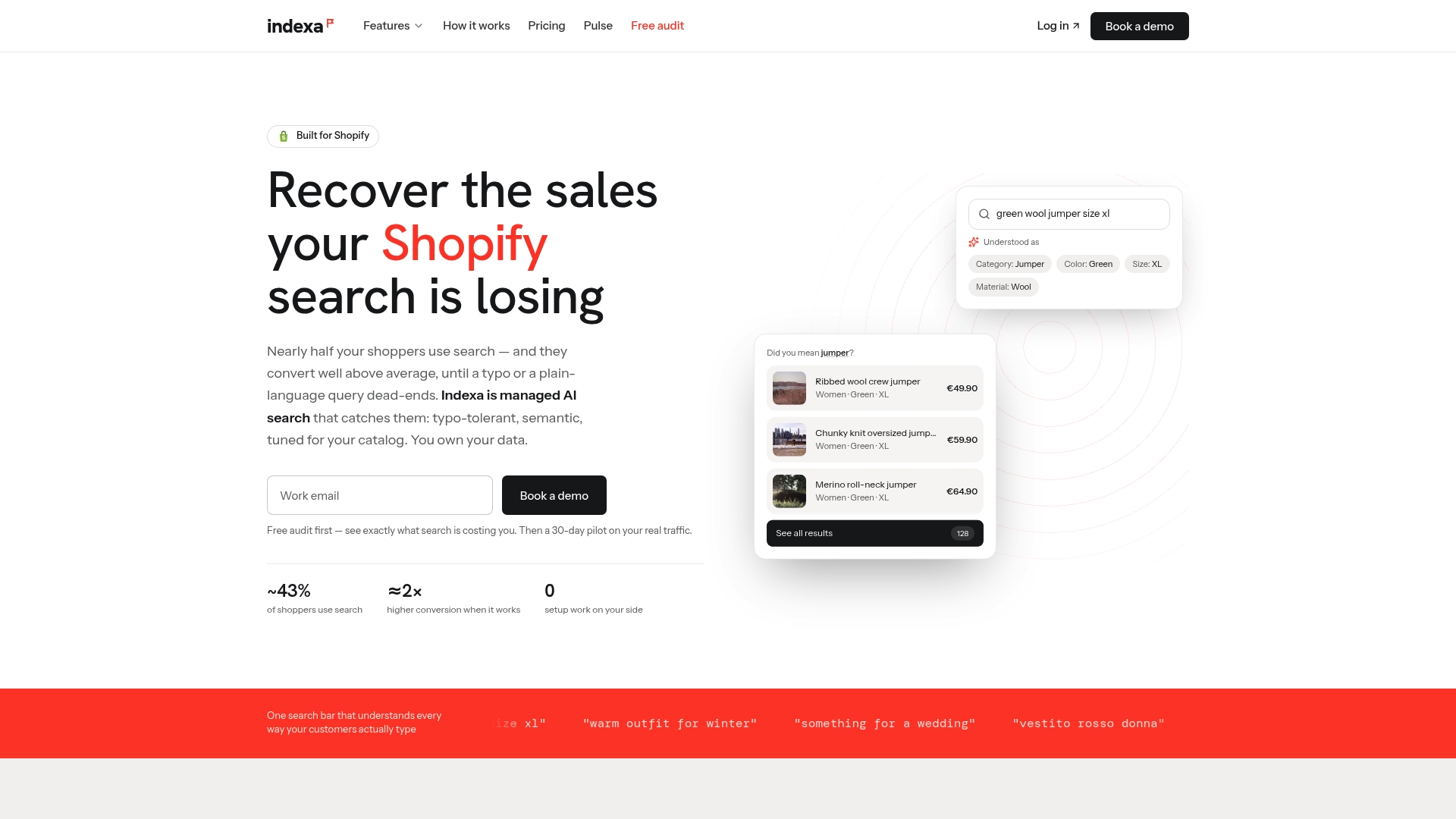
Indexa is a fully managed AI search and discovery service for Shopify stores. It combines typo-tolerant and semantic search, synonym mapping, multilingual support, a visual merchandising grid editor, product recommendations and integrated analytics, with native storefront integration including Shopify Hydrogen. You don’t need to set anything up on your end, and the service can be activated in minutes, then tuned continuously using your store’s own data.
Billing is a flat monthly retainer plus a one-time setup fee, with month-to-month terms and no per-request fees. You keep ownership of your data, and we provide migration support if you’re moving from another search platform. Many merchants begin with the free audit or a 30-day pilot; details are on the pricing page.
If you’re on Shopify’s default search and wondering what comes next, our page on moving beyond Shopify Search & Discovery lays out the upgrade path.
Our perspective
Findability and discoverability are usually discussed as two UX concepts, owned by two different teams. For a merchant, they are one revenue question: when a shopper arrives with an intent, does the store respond well?
We build around that view. Search is the one place where both intents land. A shopper who types a name wants to be found. A shopper who types a mood or an occasion wants to be shown. A search engine that only does literal matching serves neither well, and a store that sees only the first kind of query misses a lot of the second.
That is why our service pairs typo tolerance and semantic understanding with merchandising and recommendations, all managed for you. Relevance isn’t a setting you flip once. Queries change with seasons, trends and campaigns, and the store’s catalog changes every week. Ongoing tuning from real store data is how a small brand keeps pace with a larger one that has a whole team on the problem.
The research agrees that these gains build over time and that better search lifts less popular products too. For a small brand, that is the opportunity: being found for the thing shoppers type, and being discovered for the thing they didn’t know they wanted.
Barikreativa
FAQ
What is the difference between findability and discoverability?
Findability is how easily someone can locate something they know or assume exists. Discoverability is how easily they come across something they didn’t know about. In a shop, typing “black ankle boots” and getting them is findability. Seeing a matching belt suggested beside them is discoverability.
Which matters more for an online store?
Findability usually comes first, because shoppers who know what they want are closest to buying and a failed search ends the visit. Discoverability then raises basket size and repeat visits. Since both depend on search quality, improving search relevance tends to help both at once.
Is discoverability the same as SEO?
No. SEO is mostly about being found from outside, through search engines. Baymard’s definition of findability includes both external and internal paths, and on-site search is the internal part. This article focuses on what happens after a shopper lands in your store.
How do I know if my store has a findability problem?
Look at your zero-result and low-result queries, and try your top twenty queries yourself, including misspellings and synonyms. If common, reasonable searches return nothing or the wrong items, shoppers are failing to find products you stock. A free audit can do this review for your store.
Do recommendations count as discoverability?
Yes. Related, alternative and add-on suggestions are the standard discoverability tools on product pages, as Baymard’s guidance describes. They work best when they draw on the same catalog data as your search, so what shoppers see in both places is consistent.
Sources
- Low Findability and Discoverability: Four Testing Methods, Nielsen Norman Group
- Findability and Discoverability: 6 UX Tips for E-Commerce, Baymard Institute
- The Importance of Discoverability in UX Design, Dovetail
- Knowledge Management: Findability vs. Discoverability, Fire Oak Strategies
- 25 Ecommerce Product Filters With UX Design Best Practices, The Good
- Ecommerce Usability Improvements, Nielsen Norman Group
- The Granularity of Discovery: How SKU-Level Attribute Mapping Affects Search
- Picture This: Why Online Image Searches Drive Purchases, Harvard Business School Working Knowledge
- Essential Search Visibility Metrics for Online Growth
Recommended
Make discovery work harder.
See what your Shopify search could do better with a free, hands-on audit.
Get your free search audit