Black Friday Merchandising for Shopify: Fix Search First
Black Friday merchandising on Shopify is won in search and collection pages. Get the plan, the final-days checklist and the data behind it.

Black Friday Merchandising for Shopify: Fix Search First
Black Friday merchandising comes down to one job: making sure a hurried, motivated shopper can always see the next sensible product. On a Shopify store, much of that job happens in two places most merchants under-prepare: the search box and the collection pages. Black Friday 2026 falls on Friday, November 27, with Cyber Monday on November 30, so there is still time to fix both. Our managed search service is built for exactly this: Indexa handles typo-tolerant and semantic search and the merchandising grid for Shopify stores, with no setup required on your side.
TL;DR
- Pick one goal (revenue, margin, clearance or new customers) and let it decide what goes on sale, how deep the discount is and which single metric you judge the weekend by.
- Shoppers arrive ready to buy, so the winning stores remove friction between a query and a product: typo tolerance, synonyms, no empty results, and a landing page for every deal.
- Test your search with the exact words shoppers will type (“black friday deals”, “jeans sale”) and fix zero-result and irrelevant pages first.
- Place recommendations where the shopper is deciding, and keep them relevant rather than numerous.
- Plan stock and returns now: sellable stock per promoted product, delivery deadlines, and a returns process for a January spike.
Table of Contents
- What a Black Friday shopper wants from your store
- Start with one goal and three tiers
- Make search part of your merchandising plan
- An 11-day plan from now to Black Friday
- Recommendations that help instead of crowd
- Stock, delivery and returns belong in the plan
- What to measure on the day
- Perspective
- Put managed search behind your Black Friday plan
- FAQ
- Sources
What a Black Friday shopper wants from your store
Black Friday visitors behave differently from a normal Tuesday visitor. Kinsta’s analysis found that Black Friday e-commerce traffic rose 7.2% while checkout activity rose 24.1%, which points to shoppers who have already decided and want to buy. Sender’s statistics roundup puts average Black Friday conversion at 5.86%, against a 2.8% annual e-commerce average. The same page reports a record $11.8 billion in US online Black Friday sales in 2025.
That is the opportunity and the risk. A shopper with intent and a short attention span will not rephrase a query three times. If “hoodie” returns nothing because your catalog says “sweatshirt”, or “nike airmax” returns a blank page, they leave for the next tab.
YouGov’s November 2026 survey adds context on what they want. Among Americans who shop post-Thanksgiving sales, 61% expect the biggest discounts and 40% want exactly what they are after from a specific retailer, while 14% say the sales are too confusing to navigate. Clarity is a merchandising goal in itself.
Timing matters too. The same YouGov survey found that of those who shop the sales, only 19% wait for the main events, while 70% mix early and main-event shopping. Many of your Black Friday visitors have already seen your store this month. Returning shoppers expect to find what they saw before.

Start with one goal and three tiers
Before touching a banner, decide what the weekend is for. The possible goals are revenue, margin, inventory clearance or acquiring new customers. They pull in different directions: a clearance goal rewards deep discounts on old stock, while a margin goal rewards modest discounts on what already sells. Choose one, and choose the single metric that will tell you whether it worked.
Then sort the catalog. Shopify’s BFCM checklist recommends ABC analysis: promote A-grade, high-revenue products with modest discounts and clear C-grade dead stock with deeper discounts, using last year’s total sales by product report as the baseline. In practice, that gives you three tiers:
| Tier | What it is | Merchandising job | Discount depth |
|---|---|---|---|
| Hero | A handful of bestsellers with a strong, visible offer | Earn the click from the home page, banners and top of search | Modest to moderate, protecting margin |
| Volume middle | The broad range that sells steadily | Grow basket size through collections and recommendations | Standard sale depth |
| Clearance | Aged or discontinued stock | Move it before December, grouped in one place | Deepest |
The tiers also tell you where to put things. Heroes belong at the top of the sale collection and at the top of search results for the queries that describe them. Clearance belongs in its own collection, so it does not crowd the heroes out of the first screen.
A useful sanity check on discount depth: Adobe’s 2025 data, as summarized by the launchmystore.io playbook, put peak online discounts at 25.1% for apparel. Fashion shoppers have a reference point, so a hero discount that is far shallower needs another reason to click, such as a better offer on bundles or early access.
Make search part of your merchandising plan
Most Black Friday checklists cover banners, email and stock. Search gets a single line, if that. Yet search is where shoppers with a specific product in mind go first, and it is the one part of the store where a failure is silent: nobody tells you about the query that returned nothing.
Hostinger’s Black Friday guide gives a simple, concrete rule: create one main Black Friday landing page or sale category, point banners, announcement bars and navigation to it, and test on-site search with campaign queries like “Black Friday deals” and “laptops sale”, fixing zero-result or irrelevant results. It also suggests organizing deals by how people shop, such as Under $50, 50% off and Bestsellers.
Here is what that means for your search box:
- Campaign words must land somewhere. Shoppers type “black friday”, “bfcm”, “sale”, “deals” and “gift”. If your sale lives in a collection with none of those words in its products’ data, search will show nothing relevant. Map those terms to the sale collection.
- Typos are normal at speed. People search on phones, in queues, in a hurry. Spelling mistakes should still lead to the right product. We cover the method in our 30-day spell correction audit and our guide to fixing fuzzy-search misses.
- Shoppers describe, they do not quote your catalog. “Warm jacket for hiking” or “dress for a winter wedding” are natural-language searches. Keyword matching alone often fails them, which is the case for semantic search, explained in our semantic vs keyword search piece.
- Synonyms are cheap wins. Sweatshirt and hoodie, sneakers and trainers, pants and trousers: map them once and a whole class of empty results disappears.
- The top of the results page is shelf space. Pin your heroes for the queries where they belong, and keep out-of-stock items from sitting in the top spots.
Our guides on Shopify search merchandising and seasonal merchandising for search and collections go deeper on how to set up these rules.
An 11-day plan from now to Black Friday

It is November 16. If you have not finished your preparation, here is the order we would work in, and where our service takes work off your hands.
Step 1: Pull your real search queries
Open your search analytics and list the top 100 to 300 queries, plus every query that returned zero results. Zero-result queries are the shortest list of lost sales you will find. Where it goes wrong: merchants look only at the top 10 and miss the long tail of misspellings and descriptive phrases. Our integrated analytics shows what shoppers search for and where results fail, so the list is already assembled. Our five search metrics guide explains which numbers to watch.
Step 2: Fix the failures that matter most
Take the top 20 failures and decide for each: synonym, spelling tolerance, missing product data, or a product you do not stock. Where it goes wrong: patching one query at a time without a pattern. We do this tuning for you: Indexa is a fully managed service, with ongoing relevance tuning based on your real store data, typo tolerance and synonym mapping included. See how to fix the top 20 search failures with semantic search.
Step 3: Set up your sale landing page and its search rules
One sale collection, linked from everywhere, with the three tiers in sensible order inside it. Then set search results for campaign queries to match. With our visual merchandising grid editor, you arrange both search results and category pages in a no-code console, so the sale collection and the search page tell the same story. A 30-minute visual merchandising audit shows what to check.
Step 4: Check mobile end to end
Hostinger’s guide notes that smartphones accounted for 56.4% of US online transactions during the 2025 holiday shopping season and advises optimizing the complete mobile journey. Run your campaign queries on a phone: does the search bar appear quickly, do the suggestions fit the screen, does the first result make sense?
Step 5: Measure speed and relevance before you change more
Time the search response and check whether the first ten results are relevant for your top queries. Fix what is slow or wrong before adding new features. Our guides on Shopify search speed and relevance and testing relevance with Precision@10 show how, in plain steps.
Step 6: Keep a daily check through Cyber Monday
From Black Friday through Cyber Monday, check each day that your heroes are in stock, prices are right, and the top queries still return what they should. TGN Data’s assortment guide builds its plan around exactly this, with a daily check of stock and prices from Black Week to Cyber Monday. Because our relevance tuning is continuous, the search side of that daily check does not depend on your team.
Recommendations that help instead of crowd
Shoppers in a hurry respond to relevance. Attentive’s 2026 survey of 600 US consumers found that 73% say relevant product recommendations would make them more likely to buy during BFCM, and 88% say the same of a discount on something they recently viewed or carted. Two practical placements follow:
- Product page and cart: show items that complement what the shopper is already buying, such as a belt with trousers or the right accessory for the item in the cart. A generic list of bestsellers in the cart is noise.
- Zero-result and thin search pages: offer bestsellers or close alternatives rather than a dead end.
Keep add-ons light on the page where the shopper is choosing. The aim is a larger basket without a second decision that slows the first. Our walkthrough on adding two or three quick adds for cross-sell recommendations shows a one-week approach, and product recommendations are part of what we offer.
If you want to think more broadly about using customer data to tailor offers, there is a good primer on AI personalization that turns browsers into buyers. And since the product page is where recommendations and the buy decision meet, these tips to improve your product pages are worth a pass before the weekend.
Stock, delivery and returns belong in the plan
A beautifully merchandised hero that is out of stock is worse than no hero. Hostinger’s guide recommends calculating sellable stock per promoted product as stock on hand minus reserved units, pending orders, damaged or unavailable units, and safety stock. It also advises showing delivery deadlines before checkout and defining returns, restocking, cancellation and refund handling in advance.
Work a quick example. You hold 120 units of a hero jacket. 15 are reserved, 10 are in pending orders, 5 are damaged and you keep 20 as safety stock. Sellable stock is 70, not 120. Plan the promotion, the search pinning and the banner around 70.
Returns deserve a line in the plan, particularly in apparel. Ingrid’s Black Friday stress-test report, based on Black Week 2025 data, found that over 20% of peak-season orders are returned, and that orders shipping in the first two weeks of the promotion come back too late to resell before Christmas. A clear size guide and accurate search results (the right product on the first try) both help keep that number down.
What to measure on the day
Pick your single primary metric from the goal you chose, then watch the supporting numbers. BigCommerce’s November 2026 guide lists site speed, cart abandonment rate, conversion rate, checkout completion rate, mobile conversion rate and inventory availability as the must-track Black Friday metrics. Add two of your own: the share of searches with zero results, and the conversion rate of sessions that used search compared with those that did not. If you want to test a change to search before or after the weekend, our search A/B testing guide shows how to do it cleanly.
Perspective
Our view is that Black Friday merchandising is mostly a search and collection problem in disguise. Merchants spend weeks on discounts and creative, then lose a visible share of motivated shoppers to a search box that cannot handle a typo or a natural phrase.
That is why we built Indexa as a fully managed service. You do not install or code anything: we connect natively to your Shopify store, sync the catalog and keep tuning relevance against your real store data. Typo-tolerant and semantic search handle how shoppers actually type, and the visual merchandising grid lets you decide what shoppers see first on search and category pages.
For small brands competing with larger stores, this matters most. You may not outspend a big retailer on discounts, but you can match the quality of its search and the clarity of its sale pages. Our month-to-month billing has no per-request fees, and you keep ownership of your data.
Barikreativa
Put managed search behind your Black Friday plan
If your search is not ready for the weekend, the quickest way to see where you stand is our free audit. It reviews how your store handles the queries shoppers use. For a hands-on test, our 30-day pilot lets you run managed search on your store, with the setup handled for you and no coding on your side. Start with the free audit, or see how the pilot and pricing work.
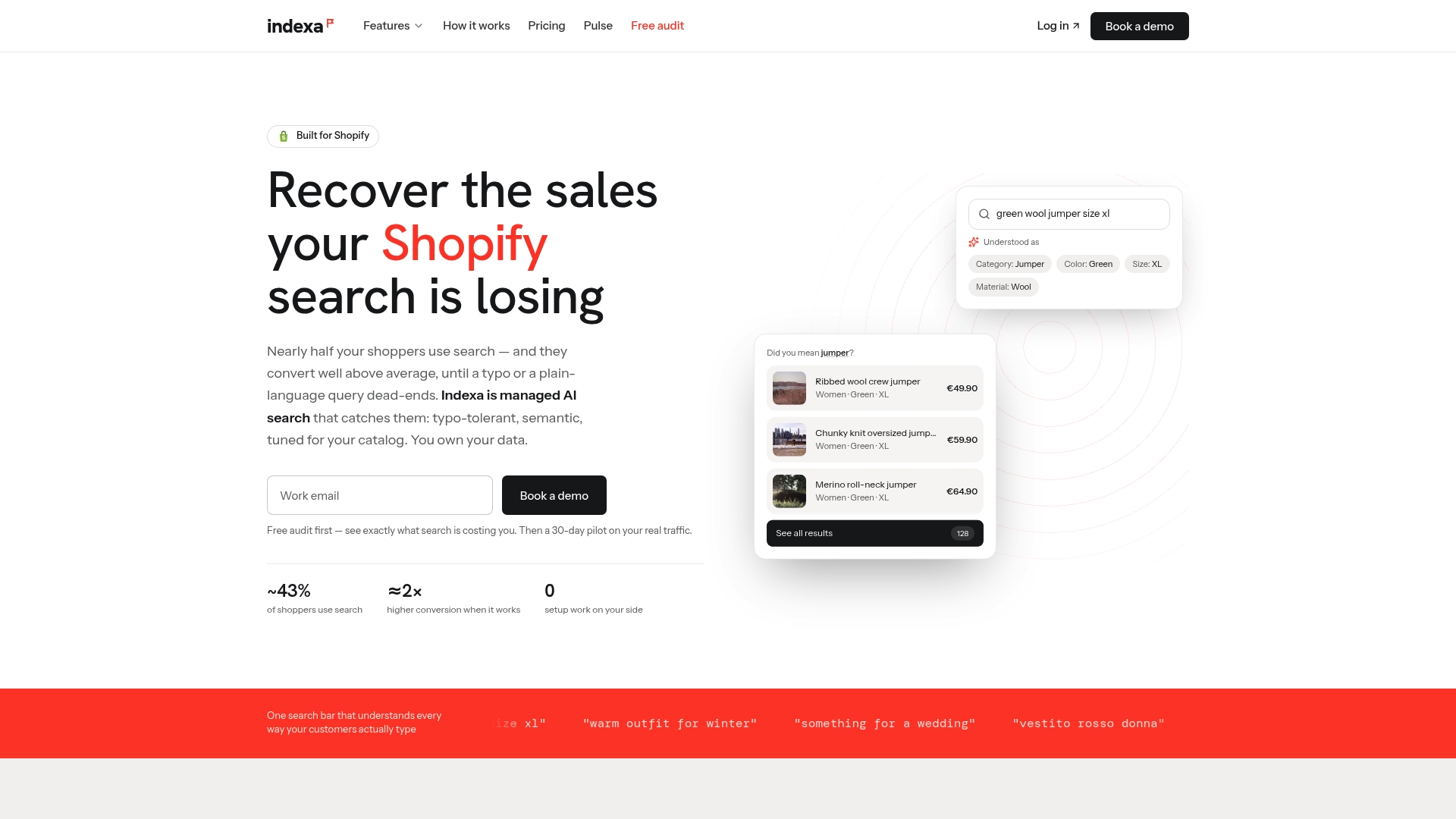
If you are moving from another search tool, we support migration, and you can read about what managed AI search adds beyond Shopify’s default search and discovery.
FAQ
When is Black Friday 2026, and when should my merchandising be finished?
Black Friday is on November 27, 2026, with Cyber Monday on November 30. Because many shoppers start early, your sale page, search rules and stock counts should be live before the weekend begins, not built during it.
What is the first thing to fix in my Shopify store’s search?
Start with queries that return zero results and the campaign words shoppers will type, such as “black friday” and “sale”. Mapping these to the right products or collections and adding synonyms is the fastest improvement. Our free Shopify search audit checklist lists what to check.
How many products should I put on sale?
There is no fixed number. Choose one goal first, then discount your best sellers modestly and clear aged stock more deeply, as Shopify’s ABC analysis advice suggests. Keep the hero group small so each one gets visible placement.
Do I need to rebuild my store to improve search before Black Friday?
No. Our service integrates natively with Shopify, including Hydrogen storefronts, and is set up for you with no coding required on your side. You manage merchandising rules in a no-code console.
Sources
- Black Friday 2026 Ecommerce Guide, BigCommerce
- Black Friday and Cyber Monday 2026, YouGov
- Black Friday and Cyber Monday e-commerce insights, Kinsta
- Black Friday Statistics, Sender
- Black Friday Checklist 2026, Shopify
- Black Friday 2026 Marketing Strategy, launchmystore.io
- Black Friday ecommerce tips, Hostinger (AU)
- Black Friday ecommerce tips, Hostinger (CA)
- Assortment Optimization for Black Friday and Holidays, TGN Data
- 2026 BFCM Consumer Pulse, Attentive
- Black Friday Stress Test 2026, Ingrid
- AI Personalization: Turning Browsers into Buyers
- 8 Tips to Improve Your Website’s Product Pages
Recommended
Make discovery work harder.
See what your Shopify search could do better with a free, hands-on audit.
Get your free search audit